
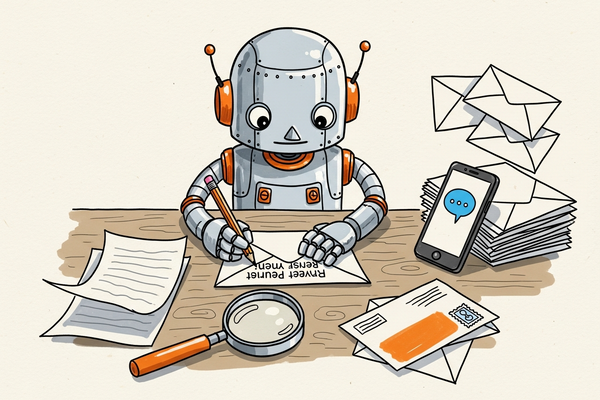
What is the AI inbox problem?
The AI inbox problem is the gap between what you write in an email and what the recipient actually sees — after an AI model has summarized it.
In 2025 and 2026, both Gmail (powered by Google Gemini) and Apple Mail (powered by Apple Intelligence) began auto-summarizing emails in three high-visibility places:
- The inbox preview line
- The lock screen notification
- The notification banner
Your preheader — the text you carefully crafted to support your subject line — is being silently rewritten. The recipient never sees your words. They see the AI's words.
For email marketers, this changes three things:
- Your preheader may never be read.
- Your subject line now competes with an AI-generated TL;DR.
- Open rates, already compromised by Apple Mail Privacy Protection, are even less reliable.
How does Gmail summarize emails with AI?
Gmail's summary feature uses Gemini, Google's flagship large language model, and is rolling out across Google Workspace and consumer Gmail through 2026.
- Where it appears: above the email body when opened, and increasingly in the inbox list view on mobile.
- What triggers it: longer emails, marketing newsletters, and multi-topic threads.
- What it does to preheaders: on desktop, your preheader still shows in the list view today, but Google is actively testing AI-rewritten previews in the same slot.
- What you can't control: the model's choice of which sentences to surface. It usually picks the first one or two sentences and the strongest verb-noun pair from the body.
How does Apple Intelligence rewrite email previews?
Apple Intelligence, introduced in iOS 18 and macOS Sequoia, replaces the standard preview with a one or two line AI summary in Apple Mail.
- Where it appears: inbox list view, lock screen, and notification center.
- What it replaces: your preheader text entirely — not alongside it, instead of it.
- Language coverage: English-first in 2024 and 2025; French, German, Spanish, Italian, and Portuguese rolling out through 2026.
- Opt-out: users can disable it, but the default is on. Assume the default.
The practical impact: on a recent iPhone, a recipient sees Apple's summary of your email, not your preheader. The carefully optimized ninety characters you wrote? Gone.
Will AI summaries hurt email open rates?
Yes — but open rate was already a broken metric. Apple's Mail Privacy Protection inflated open rates beginning in 2021. AI summaries deal the second blow: when the AI gives the user enough information in the preview, they don't need to open the email at all.
This is the part most marketers miss. AI summaries don't just change your preview — they create a new category of recipient: the informed non-opener. The user got the value, made a decision, and never tripped your open pixel.
Metrics to track instead in 2026
- Click-through rate (CTR)
- Conversion rate
- Reply rate
- Unsubscribe rate
- List growth and engagement segments
How to write emails that survive AI summarization
Seven rules. Apply them to every campaign starting today.
1. Front-load the value in the first sentence
LLMs weight opening sentences heavily. If the offer or news is in paragraph three, the summary won't catch it.
2. Use plain language, not clever metaphors
Worried AI will flatten your message? Mailpro’s plans give you testing, previews and analytics to see what actually gets through — to humans and their assistants.
"Spring has sprung in our store" gets flattened to "generic spring greeting." "20% off linen until Sunday" stays intact.
3. One core message per email
Multi-topic emails get summarized into vague mush. If you have three topics, send three emails — or use one clear hierarchy with one hero message.
4. Make your CTA explicit and verb-led
"Book a demo," "Download the report," "Shop the sale." Not "see what's new" or "learn more." LLMs surface concrete verbs.
5. Skip the throat-clearing intro
"Hope you're well, just wanted to reach out…" becomes your AI summary. Cut it. Start with the news.
6. Use structured content
Short paragraphs, bullet lists, clear subheadings. LLMs extract structure and preserve it in summaries. Unstructured walls of text get compressed into vague abstractions.
7. Keep optimizing subject and preheader pairs anyway
Non-AI clients (Outlook, older Android, older iOS) still show them. Spam filters still score them. Treat them as the fallback layer.
Before and after: a real example
Before (AI-fragile)
- Subject: Spring is here!
- Preheader: Discover what's new this season at our store
- Body opening: "Hi friend, hope you're enjoying the lovely weather. As we welcome spring, we've been thinking about how to make your inbox a happier place…"
AI summary will read: "Generic spring greeting from the brand. Mentions new seasonal items."
After (AI-readable)
- Subject: 3 new arrivals, 20% off until Sunday
- Preheader: Linen shirts, denim jackets, summer dresses — code SPRING20
- Body opening: "Three new pieces dropped this week: linen shirts, denim jackets, and summer dresses. Use code SPRING20 by Sunday for 20% off. [Shop now]"
AI summary will read: "3 new product categories announced. 20% discount with code SPRING20 ending Sunday."
The offer survives. The recipient gets the value whether they open or not — and if they're interested, the CTA is one tap away.
Is preheader text dead?
No. It's no longer the star, but it's still load-bearing.
You still need optimized preheaders for:
- Outlook (no AI summaries)
- Older Android mail clients
- The roughly 30% of Apple users on devices that don't run Apple Intelligence
- Spam filter scoring (the algorithms still read it)
- Web-based inbox views
Write your preheader as if it will be shown. Assume it won't.
FAQ
What is the AI inbox problem?
The AI inbox problem is when AI-generated summaries in Gmail or Apple Mail replace your preview text with their own version, changing what recipients see in the inbox.
Does Gmail summarize every marketing email?
Not yet. Gemini summaries currently trigger on longer emails and are rolling out gradually. Assume full coverage by the end of 2026.
Can recipients turn off Apple Intelligence summaries?
Yes, in Settings → Apple Intelligence → Mail. But the default is on, so most users won't.
Should I stop writing preheader text?
No. It remains the fallback for non-AI clients and is still read by spam filters. Optimize it — just don't bet your campaign on it.
Does this affect transactional emails?
Less so today. AI summaries are most aggressive on marketing content. Receipts, password resets, and order confirmations are usually surfaced verbatim — but that may change.
Will my open rates drop?
Possibly, because AI summaries create informed non-openers — users who get the value without opening. Switch your KPIs to click, conversion, and reply rates.
What's next for the AI inbox
Three predictions for 2026 and 2027:
- Personalized AI summaries — the recipient's own AI assistant will summarize emails through their preferences (priorities, tone, length).
- Sender reputation tied to summary quality — providers may rank senders whose emails summarize cleanly.
- AI-ready email tooling — platforms (including Mailpro) will start scoring emails for LLM-readability the same way they score for spam today.
The senders who adapt now will own the inbox in 2027.
Mailpro and the AI inbox
Write emails that win — even when AI reads them first
AI assistants now summarize inboxes before people do. Mailpro helps you craft clear subject lines and front-loaded copy, then test what lands — so your message survives the summary.
