
Send at the perfect moment with scheduled campaigns.
Timing matters. Schedule your campaigns to match subscriber behaviour — with send-time optimization, time-zone sending and recurring or drip campaigns — to lift open rates, click-through rates and deliverability.
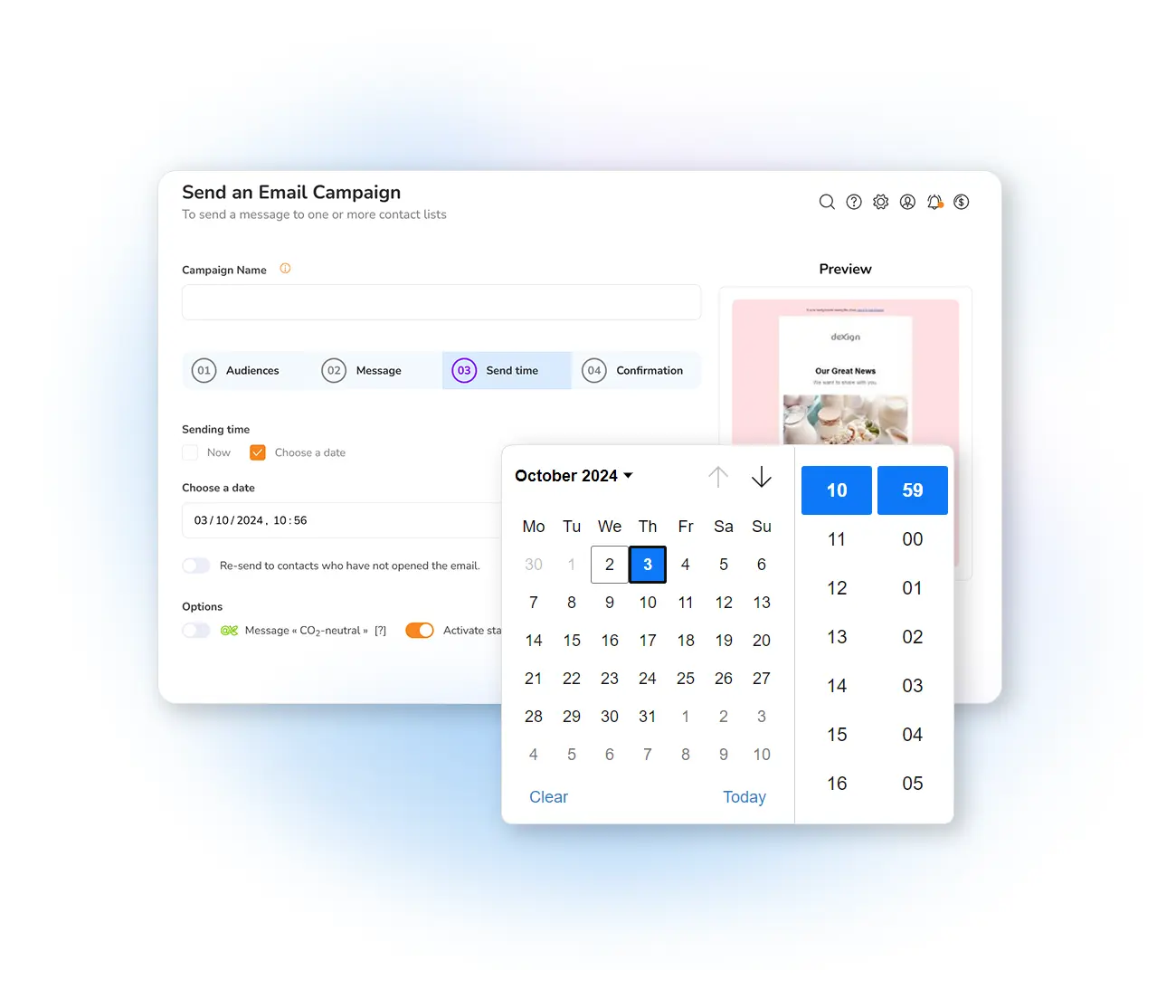
Why schedule your campaigns?
Scheduling your email marketing campaigns lets you match send times to subscriber behaviour, which improves open rates, click-through rates and overall deliverability. Instead of blasting everyone at once, you deliver each message when a segment is most likely to engage.
For B2B audiences, sends during the workday — say 9–11 AM local time — often outperform weekend afternoons; for consumer lists, Sunday evenings or mid-week early evenings can win. The key is to use send-time optimization and keep testing based on your audience segmentation.
Schedule your mailings in three ways
Date, time & time zone
Choose a send date and exact time, and optionally enable time-zone sending so each subscriber receives it at, say, 10 AM their local time.
Send-time optimization
Let Mailpro analyze historical engagement and automatically pick the hour each contact is most likely to open and click.
Recurring & drip
Build recurring sends or drip campaigns over days or weeks, combined with automation rules.
The benefits of planned sending
Best practices: segment by intent (new, dormant and VIP contacts need different cadences), mind holidays and quiet hours, track KPIs like open rate, CTR, conversion and bounce rate, and add UTM parameters to attribute revenue to your best send windows.
Frequently asked questions
What is email scheduling?
What is send-time optimization?
Can I schedule recurring or drip campaigns?
Plan your sends for maximum impact
Start free and schedule campaigns with send-time optimization and time-zone sending — reach every subscriber at their best moment.