
Turn readers into clicks with call-to-action buttons.
A great CTA button is one of the most important elements of any newsletter — it makes the next step obvious and drives the conversion you're after. Build attractive, on-brand buttons in Mailpro, coded in HTML so they show up even with images off.
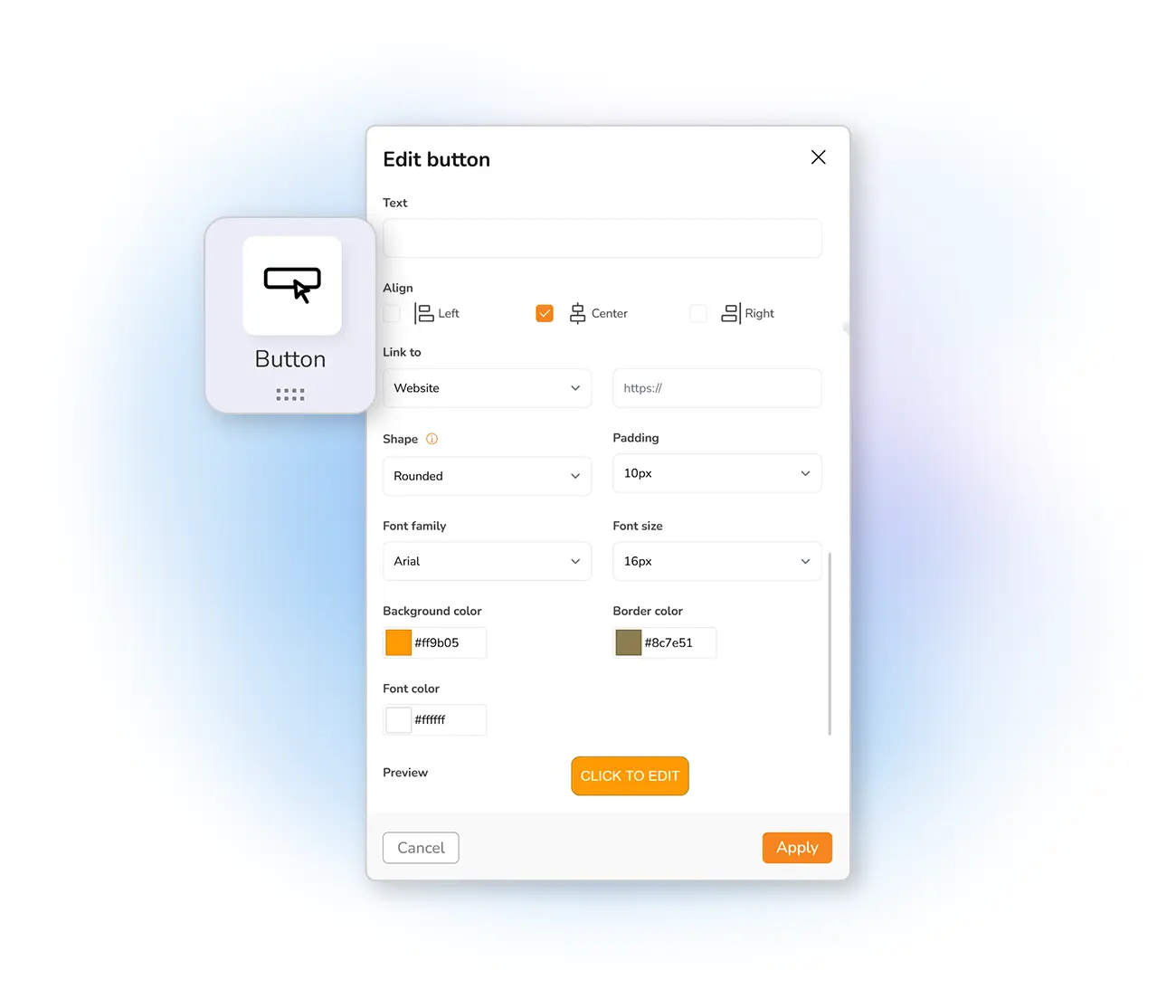
How do the buttons work?
One of the simplest ways to lift the click rate on your newsletters is a call-to-action button. CTAs are among the most important elements when designing a newsletter — they make it easy for subscribers to take the conversion action you've set as your goal.
Use a button to prompt a download, send readers to a page, or any other objective. What matters most is that it captures attention and leads to the intended action.
Buttons built for every action
Create your buttons right in the newsletter editor and lift your click-through rate. Need inspiration? See these 120 great CTA examples.
Frequently asked questions
What is a call-to-action button?
Are the buttons coded in HTML?
Can I style buttons to match my brand?
Add buttons that get clicked
Start free and build on-brand CTA buttons that turn readers into action — right inside your newsletter.