
Measure every automation and prove what works.
Did subscribers open that welcome message? Did everyone get their birthday email? A dedicated section of the Mailpro statistics panel shows the performance of every automatic campaign — so you can refine timing, targeting and content with real data.
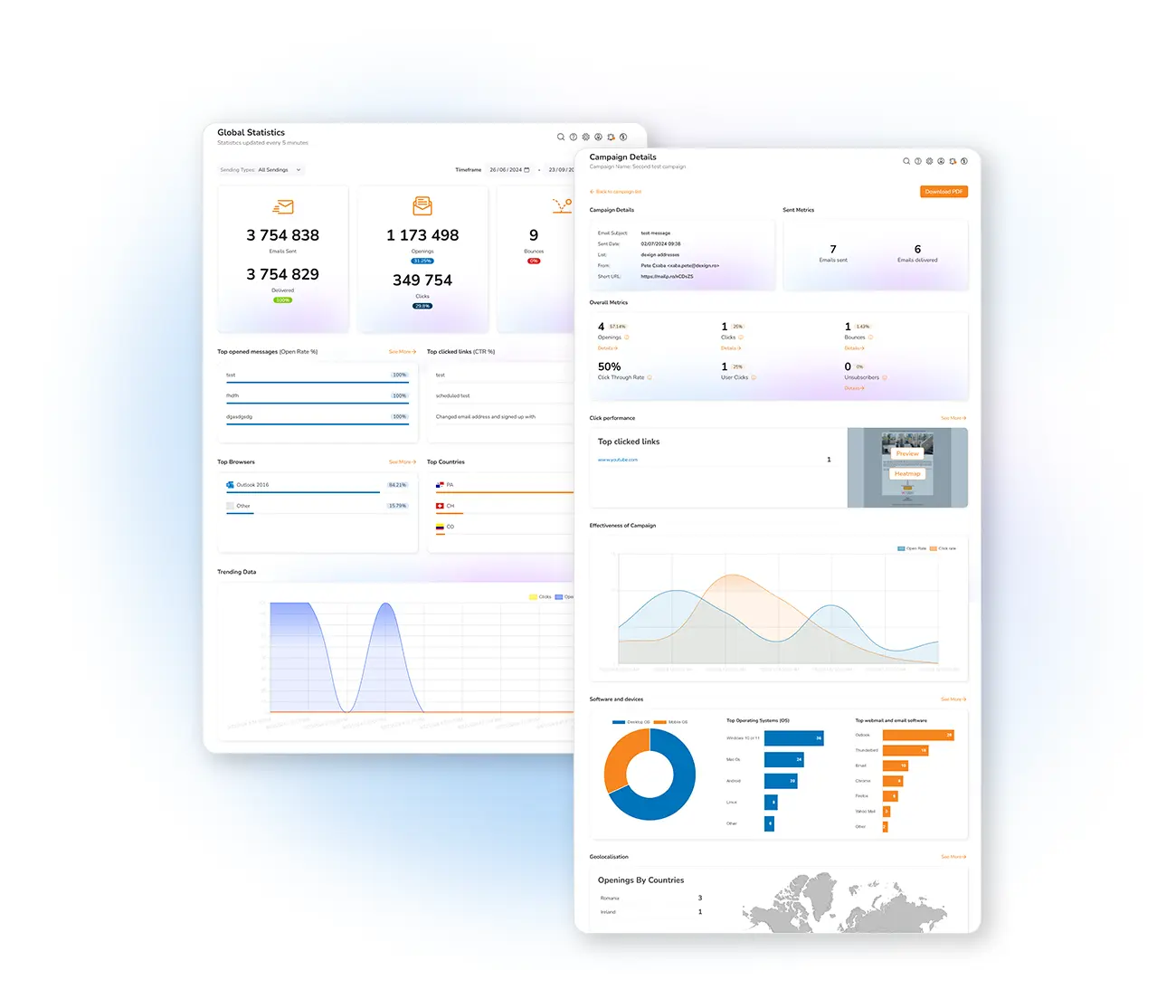
Know exactly how your automations perform
Learn how many subscribers opened the welcome message that fires right after sign-up, or whether every contact received their happy-birthday email, by analyzing your automatic email statistics. That data is invaluable when it's time to knock on the inbox door again — to reiterate information, target specific offers, or remind people of items left in their carts. What you see in the graphs depends on the automations you've configured.
The statistics you'll find
New to reading reports? Learn how to analyze your statistics with our instructional videos, or see the full campaign statistics and reporting.
Automatic and transactional emails tend to perform better than standard broadcasts: they follow a first contact the recipient already started, so a reply is often anticipated — and they carry more personalization. Test as you go: send a first automation, check the results, then schedule the follow-up or segment to those who opened but didn't click. Differentiate yourself, save time, and communicate intelligently — all backed by data.
Frequently asked questions
Where do I find automated email statistics?
Why are automated emails often more effective?
Optimize your automations with real data
Start free and use Mailpro's advanced statistics to make every automated campaign perform better.