
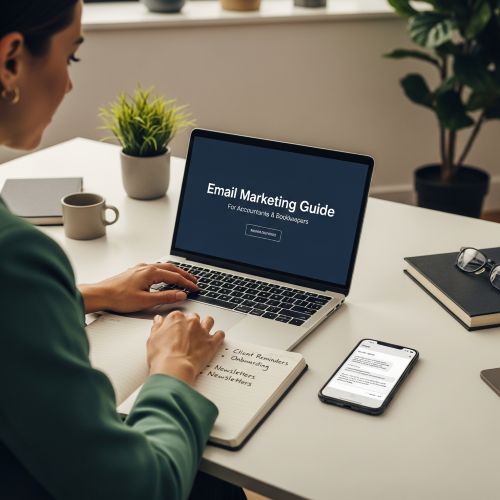
Accounting firms don’t need “flashy marketing.” They need communication that feels professional, timely, and trustworthy. The good news? Email (and sometimes SMS) can do a lot of the follow-up work for you—without sounding robotic or pushy.
This guide shows exactly how to use email marketing to reduce back-and-forth, collect documents faster, cut no-shows, improve invoice payments, and keep clients informed all year long. You’ll also get ready-to-copy templates and a simple calendar you can follow.
Why email marketing works so well for accounting firms
Most businesses use email to sell. Accounting firms use email to keep things moving: deadlines, documents, appointments, signatures, payments, and important updates. That’s why accounting emails can get strong engagement—when they’re clear, relevant, and sent at the right time.
Your clients usually want reminders (they just don’t want spam). Your job is to make emails helpful and easy to act on. If your messages remove confusion and save clients time, your emails become a service—not “marketing.”
The accounting email mix (operational vs transactional vs newsletter)
A healthy program usually includes three categories. Knowing the difference keeps you compliant, improves deliverability, and makes your content feel appropriate.
1) Operational emails (client progress)
These are your “workflow” messages: document requests, missing items, appointment confirmations, signature requests, “we received your files,” and “your return is ready.” They’re short, specific, and focused on one action.
2) Transactional emails (payments and receipts)
These include invoices, receipts, payment links, and billing notices. They should be factual and consistent. If you can separate these from newsletter sending (different stream, different reputation), your most important messages are less likely to land in spam.
3) Relationship emails (newsletters + seasonal guidance)
These build trust and reduce client panic: deadline reminders, tax season guidance, year-end checklists, payroll updates, and quick “what changed” summaries. They keep you top-of-mind before clients urgently need you.
A common mistake is emailing clients only when something is missing. A better approach is a predictable cadence: light, helpful touchpoints year-round—and stronger sequences during key seasons (tax, VAT/sales tax, payroll changes, year-end).
Client segments for accounting firms (so your emails stay relevant)
Accounting firms serve very different client types. The fastest way to get better results is to segment your list so clients only receive what applies to them. You don’t need complicated segmentation—start with these simple groups:
- Individuals (annual filing, personal tax questions, document checklists)
- Small business bookkeeping (monthly close, missing receipts, reconciliations)
- Payroll clients (monthly payroll items, employee changes, deadlines)
- VAT / sales tax (quarterly deadlines, required reports, reminders)
- One-time projects (new company setup, clean-up work, audits, advisory)
- High-touch / VIP (more personal tone, fewer automated nudges)
In practice, you can segment by tags (e.g., “Individual”, “Bookkeeping”, “Payroll”), by list, or by form choices (clients select what they need). If you use online forms to capture intake, you can automatically tag clients based on their answers. Create Online Forms
7 high-impact email use cases for accounting & bookkeeping
1) Document request emails (with a checklist)
This is the #1 time-saver. The best document request emails are short, specific, and include a checklist so clients can reply with confidence (or upload everything in one go).
Tip: use a simple online form to collect missing items instead of long email threads. You can link the form in the email and pre-structure the upload process. Create Online Forms
2) Appointment confirmations and reminders
If you do consultations, reminders reduce no-shows and last-minute rescheduling. Email works well for confirmations; SMS can be useful for “day-of” reminders when it’s time-sensitive.
If you send SMS, keep it brief, practical, and never too frequent. Online SMS Gateway
3) Invoice and payment reminders (professional wording)
Payment reminders don’t have to be awkward. A calm sequence (gentle → firmer → final notice) can improve cash flow without harming relationships. The key is to be factual: invoice number, due date, amount, and the simplest next step.
4) New client onboarding sequence
Onboarding is where you set expectations. A short sequence can explain what to send, when to expect replies, how to book appointments, and what happens next. This reduces repeated questions and makes your firm feel organized from day one.
Helpful reference: What is Email Automation?
5) Monthly or quarterly client newsletter (trust-builder)
Accounting newsletters work best when they’re short and practical: a small checklist, a deadline reminder, one change in rules, and a quick “what to do now.” This keeps your firm top-of-mind before clients need you.
Templates hub: Email Templates
6) Seasonal campaigns (tax season, year-end, payroll updates)
Seasonal emails are where you can be more proactive: “What we need from you,” “common mistakes to avoid,” “book early,” and “deadlines coming up.” The best seasonal campaigns are planned in advance and sent in waves.
7) Reactivation (quiet clients, lapsed bookkeeping, “haven’t heard from you”)
Reactivation emails should feel helpful, not salesy: “Do you still need help this quarter?” “Want us to review your filings?” “Need a year-end checkup?” Give an easy way to reply or book a slot.
Ready-to-copy email templates for accountants (short, professional, effective)
Below are simple templates you can adapt in minutes. Keep your tone consistent: calm, direct, and helpful. Replace bracketed fields like [Client Name] and [Due Date].
Template 1: Document request (with checklist)
Subject: Documents needed for your [Year/Quarter] filing
Hello [Client Name],
To complete your [tax return / bookkeeping / VAT filing], we still need the items below:
- [Item 1]
- [Item 2]
- [Item 3]
You can upload them here: [Upload Link] or reply to this email with the documents attached. If you’re missing something, tell us what you have and we’ll advise the next step.
Thank you,
[Your Name]
[Firm Name]
Template 2: Missing items reminder (gentle)
Subject: Quick reminder: missing documents for your [Year/Quarter]
Hello [Client Name],
Just a quick reminder—we’re still missing a few documents to finalize your [filing/bookkeeping]. Here’s the link again: [Upload Link].
If you prefer, reply to this email with what you have and we’ll confirm what’s still needed.
Thanks,
[Your Name]
Template 3: Appointment confirmation
Subject: Confirmed: your appointment on [Day], [Date] at [Time]
Hello [Client Name],
Your appointment is confirmed for [Day], [Date] at [Time]. Location/Link: [Address or Video Link]
If you need to reschedule, reply to this email and suggest 2–3 alternative times.
See you soon,
[Your Name]
Template 4: Invoice due soon
Subject: Invoice [#] due on [Due Date]
Hello [Client Name],
Friendly reminder that invoice [#] for [Amount] is due on [Due Date]. Payment link: [Link]
If you’ve already paid, please ignore this message. If you have a question, reply here and we’ll help.
Thank you,
[Firm Name]
Ready to systematize client comms? Mailpro’s plans give accounting firms templates, automation and segmentation — without enterprise pricing.
Template 5: “Your return is ready” / completion notice
Subject: Your [Year] documents are ready
Hello [Client Name],
Your [tax return / report / filing] is ready. Next step: [Sign / Approve / Pay / Schedule pickup]. Link: [Portal Link]
If you have questions, reply to this email and we’ll clarify.
Best,
[Your Name]
Tip: You can turn these into a consistent branded layout using a clean template: Mailpro Templates.
Subject line examples (simple and effective)
These aren’t “marketing” subject lines. They’re clarity subject lines. They set expectations and reduce confusion:
- Quick reminder: missing documents for your filing
- Action needed: please upload your [Year] documents
- Confirmed: appointment on [Date] at [Time]
- Invoice [#] due on [Date]
- Year-end checklist: 5 items to prepare now
- Tax season update: deadlines + what we need from you
- Payroll update: action needed by [Date]
- VAT filing reminder: deadline [Date]
When to use SMS (and when not to)
SMS is powerful because it’s immediate. That’s also why it should be used carefully. For most accounting firms, SMS makes sense for: appointment reminders, urgent deadline nudges, or time-sensitive confirmations.
SMS is usually not the right channel for long explanations, complex requests, or frequent updates. Keep it short and always include an easy next step (reply YES, click link, call).
Reference: Definition of SMS Marketing and Online SMS Gateway.
Simple automations that save hours (without losing the personal touch)
You don’t need complex workflows to get results. Start with automations that eliminate repeated manual follow-ups while keeping your tone human.
Automation 1: New client onboarding (7 days)
- Day 0: Welcome + what happens next + required info
- Day 2: How to upload documents + checklist
- Day 5: “Any questions?” + booking link
- Day 7: Expectations (timelines, response times, how to contact your team)
Automation 2: Document request follow-up
- Day 0: Document request with checklist
- Day 3: Gentle reminder
- Day 7: Clear next step + offer quick call if needed
Automation 3: Appointment reminders (email + optional SMS)
- Confirmation email immediately
- Reminder email 24 hours before
- Optional SMS on the day (only if consented)
Automation 4: Invoice reminders (with stop rules)
- Due soon reminder (3–5 days before)
- Overdue reminder (1–3 days after)
- Final notice (7–10 days after)
- Stop sending automatically when marked paid
Helpful background: Email marketing vs email automation and Email Automation.
Accounting email calendar (monthly + seasonal)
A simple calendar keeps your firm consistent and reduces “last-minute chaos.” Adapt the timing to your country and client base. The goal is predictable, helpful communication.
Monthly (for bookkeeping + ongoing clients)
- Start of month: “What we need this month” + upload link
- Mid-month: Missing items reminder (only to clients with missing items)
- End of month: “Month closed” update + next deadline preview
Quarterly (VAT/sales tax + quarterly reporting)
- 2–3 weeks before: Checklist + booking option
- 1 week before: Reminder to upload documents
- 48 hours before: Final reminder (email, optional SMS for urgent cases)
- After filing: Confirmation + “what’s next”
Tax season (example campaign flow)
- Wave 1: “Tax season is open — book early” + key dates
- Wave 2: Document checklist + upload link
- Wave 3: Missing items reminders (segmented)
- Wave 4: Final deadline + urgent appointment availability
- After: Thank you + “how to stay organized next year”
Year-end (business clients)
- Year-end checklist (inventory, payroll, expenses, receipts)
- “Book your year-end review” invitation
- Final reminder + what to prepare before Jan 1 / fiscal close
Deliverability basics (so important emails actually arrive)
For accounting firms, deliverability isn’t a “nice-to-have.” If invoice emails, document requests, or deadline reminders go to spam, you lose time and trust.
Do these 6 things first
- Authenticate your domain (SPF/DKIM/DMARC) to prove you’re a legitimate sender.
- Use a consistent sender name clients recognize (Firm Name or Account Manager).
- Keep emails lightweight (avoid heavy images for operational emails).
- Be careful with links (too many links can look spammy in reminders).
- Avoid spam phrases (“urgent!!!”, “act now!!!”, misleading subject lines).
- Separate streams if possible: transactional/operational vs newsletters.
In this cluster, we’ll also publish a dedicated deliverability post specifically for accounting firms (invoice emails + reminders). If you already use tools like QuickBooks or Xero, you can also integrate secure sending via SMTP: QuickBooks SMTP
What to track (simple metrics that matter)
Most firms don’t need dozens of KPIs. Track what reflects real progress:
- Replies (clients answering with what you need)
- Form submissions (documents/intake completed)
- Appointments booked and no-show rate
- Invoices paid after reminders
- Newsletter clicks on key updates
If you want to keep it extremely simple: pick one “workflow metric” (documents received on time) and one “business metric” (appointments booked or invoices paid). Those two numbers tell you if email is helping.
FAQ: Email marketing for accounting firms
How often should an accounting firm email clients?
For ongoing clients, a monthly touchpoint is usually enough (plus segmented reminders only when something is missing). During tax season or quarterly deadlines, you can send short sequences—always tied to a clear deadline and action.
What’s the best first automation to set up?
Start with either a document request follow-up (saves the most time) or a new client onboarding sequence (reduces repeated questions and improves client experience).
Should we send marketing emails if we’re “not a marketing firm”?
Yes—if your emails are helpful. In accounting, “marketing” often means guidance, reminders, checklists, and trust-building updates. Done well, it feels like service.
Is SMS worth it for accountants?
It can be, but use it sparingly. SMS is best for appointment reminders and truly urgent deadlines. Email is better for details and checklists.
How do we avoid sounding robotic?
Keep your tone calm, write like a person, and use simple sentences. Don’t over-automate everything—automate the structure, not the relationship. Personalize with the client’s name, deadline, and clear next step.
What types of content should go in a newsletter?
Short, practical content: one checklist, one key change, one deadline reminder, and one “what to do now” section. Avoid long essays. Clients want clarity.
Next step: build your accounting email toolkit
If you want to implement this fast, follow this sequence: start with a clean template, set up one form for intake, then add one automation (onboarding or reminders). Browse templates here: Mailpro Email Templates
Coming next in this series: document request templates (more examples), payment reminder sequences, appointment reminders (email + SMS), a tax season campaign plan, deliverability setup for invoice emails, and a 7-day onboarding flow.
Want ready-to-copy examples? See: Client Document Request Email Templates for Accountants (With Checklists + Follow-Ups) .
See it in action: explore Mailpro for accounting firms.
Related reading: email marketing for insurance agents.
Mailpro and email marketing for accountants
Grow your accounting practice with email that runs itself
From onboarding to tax-season reminders, email keeps accounting clients engaged. Mailpro gives firms templates, automation and segmentation — at pricing built for lean practices.
