
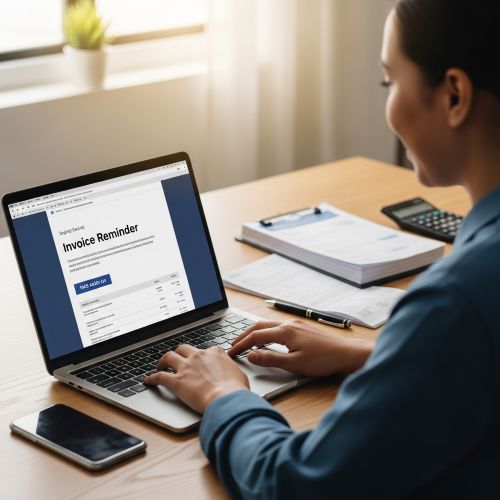
Payment reminders don’t have to feel awkward. When your emails are calm, factual, and easy to act on, you can improve cash flow while protecting client relationships.
This article gives you ready-to-copy invoice reminder templates (gentle → overdue → final), subject lines, and a simple “stop rule” approach so you don’t keep reminding clients who already paid.
New to this accounting email series? Start here: Email Marketing for Accounting & Bookkeeping Firms: The Complete Guide .
And if you’re building your workflow from the start, pair this with: Client Document Request Email Templates for Accountants (With Checklists + Follow-Ups) .
The 6 principles of payment reminders that work
Great reminders feel professional because they are structured. Use these rules:
- Be factual: invoice number, amount, due date, and the payment link.
- One primary action: “Pay here” or “Reply if there’s an issue.”
- Neutral tone: no guilt, no threats, no drama.
- Give an easy exit: “If you already paid, please ignore this email.”
- Offer help: “If you need the invoice again or want to confirm details, reply here.”
- Follow a predictable cadence so clients know what to expect.
Reminder emails are a classic example of transactional communication (important, action-based messages). If you want a quick refresher, here’s a solid reference: Transactional Email Guide.
Recommended reminder sequence (3 emails)
This is a simple, relationship-friendly sequence used by many service businesses:
- Email 1 (Due soon): 3–5 days before the due date
- Email 2 (Overdue): 1–3 days after the due date
- Email 3 (Final reminder): 7–10 days after the due date
If your clients are usually reliable, you may not need Email 3. If you work with large organizations, you might add a “processing delay” note (some companies pay on fixed cycles).
Copy-and-paste templates
Replace fields like [Client Name], [Invoice #], and [Payment Link]. Keep the layout consistent for clarity.
Template 1: Due soon (gentle reminder)
Subject: Invoice [#] due on [Due Date]
Hello [Client Name],
Friendly reminder that invoice [Invoice #] for [Amount] is due on [Due Date].
Payment link: [Payment Link]
Invoice copy: [Invoice Link]
If you’ve already paid, please ignore this message. If you need anything from us to process payment, just reply here.
Thank you,
[Your Name]
[Firm Name]
Template 2: Overdue (calm, direct)
Subject: Overdue: Invoice [#] (due [Due Date])
Hello [Client Name],
Quick follow-up regarding invoice [Invoice #] for [Amount], due on [Due Date]. As of today, it appears unpaid.
Payment link: [Payment Link]
If payment is already in progress, thank you—no action needed. If there’s an issue (invoice details, PO number, etc.), reply to this email and we’ll help immediately.
Best regards,
[Your Name]
[Firm Name]
Template 3: Final reminder (firm but respectful)
Subject: Final reminder: Invoice [#] requires attention
Hello [Client Name],
Tired of chasing invoices? Mailpro’s automated emails send scheduled, polite reminders the moment payment is due — no manual follow-up.
This is a final reminder regarding invoice [Invoice #] for [Amount], originally due on [Due Date].
Payment link: [Payment Link]
If you need to confirm the correct billing details or require an updated invoice, please reply here. If you’d like us to pause reminders while payment is being processed, just let us know.
Thank you,
[Your Name]
[Firm Name]
Optional add-on: “Can we help?” version (for good clients)
Subject: Quick check-in on invoice [#]
Hello [Client Name],
Just checking in—do you need anything from us to process invoice [Invoice #]? If everything is in order, you can pay here: [Payment Link].
Thanks,
[Your Name]
Subject line bank
Neutral / professional
- Invoice [#] due on [Date]
- Payment reminder: invoice [#]
- Invoice [#] requires attention
- Overdue invoice [#] (due [Date])
Friendly tone (good for repeat clients)
- Quick check-in on invoice [#]
- Just a reminder—invoice [#]
- Need anything from us for invoice [#]?
Final reminder (use sparingly)
- Final reminder: invoice [#]
- Action needed: invoice [#]
- Final notice: invoice [#] is overdue
Optional: add SMS (only when it makes sense)
SMS can help for time-sensitive reminders, but use it carefully. For most accounting firms, SMS is best for: appointment reminders and urgent deadline nudges. For payment reminders, it should be reserved for rare situations (and only with consent).
If you decide to use SMS, keep it short and purely informational. Here’s the feature page: Online SMS Gateway . And a definition reference: SMS Marketing.
SMS example (polite)
SMS: Hi [Name], quick reminder: invoice [#] for [Amount] is due on [Date]. Pay here: [Link]. Reply if you have a question. —[Firm]
Deliverability tips for invoice emails
Invoice reminders are important messages. If they land in spam, you lose time and cash flow. Keep them deliverable by:
- Using a consistent sender name clients recognize (your firm or account manager)
- Keeping invoice reminders light (no heavy images, minimal links)
- Avoiding “spammy” language (excessive urgency, multiple exclamation marks, aggressive phrasing)
- Authenticating your sending domain (SPF/DKIM/DMARC)
- Separating newsletters from transactional messages when possible
If you send transactional emails (invoices, receipts, alerts) from your systems, this guide is helpful: Transactional Email Guide.
Automation + “stop rules” (so you don’t annoy payers)
The best reminder sequences include a stop rule: if the invoice is marked paid, reminders stop automatically. That protects the relationship and keeps you professional.
Reminder sequences are a perfect use case for email automation: Email Automation.
If you want a quick “what’s the difference?” explanation: Email Marketing vs Email Automation .
FAQ
How many payment reminders should an accounting firm send?
Typically 2–3 is enough: one before the due date, one shortly after, and a final reminder 7–10 days later if needed. For high-trust clients, you can keep it to just one or two messages.
Should I include the invoice as an attachment?
You can, but keep in mind some attachment types can trigger filters. A secure invoice link (or portal link) is often cleaner. If you do attach, keep the email itself simple and avoid stacking multiple attachments.
What if the client says they didn’t receive the invoice?
Reply with the invoice link again, confirm their billing email, and suggest they safelist your domain if needed. Then follow up with a single clear next step.
Mailpro and payment reminder emails
Send every payment reminder on time, automatically
Chasing invoices by hand is slow and awkward. Mailpro’s automated emails send polite, scheduled reminders the moment a payment is due — so you get paid faster without the manual follow-up.
