
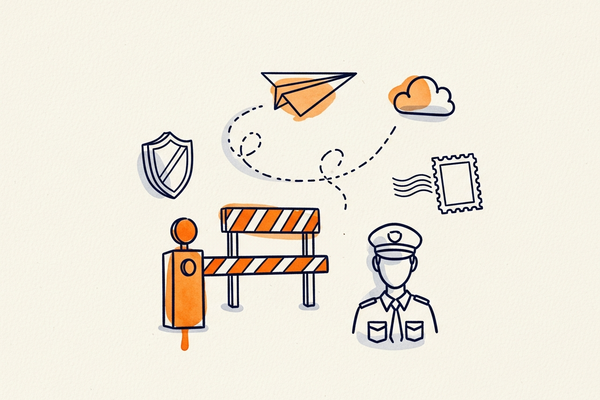
You write the email. You check the subject line one last time. You hit Send. And then… nothing. A little "sent" confirmation, and you move on with your day.
But in those three quiet seconds, your humble email just went on an absurdly eventful adventure — sprinting across the internet, getting its passport stamped, being interrogated by a suspicious bouncer, and squeezing past a bodyguard whose entire job is to keep emails like yours out. Let's follow one email on its trip, because once you understand the journey, you understand exactly why some emails reach the inbox and others vanish into the void.
Second 0: The departure lounge
The moment you click Send, your email doesn't fly straight to your recipient. First it goes to a sending server — think of it as the airport your message departs from. This is the SMTP server, and it's the unsung hero of the whole trip. A good sending server is fast, trusted, and has a clean reputation. A bad one is the digital equivalent of departing from an airport that's on three watchlists.
Where that server physically lives matters too. Mailpro's infrastructure runs from a Swiss data center, which is great for privacy — but for this story, just picture a very tidy, very reliable departure gate. Our email is now on the runway.
Second 1: The passport check (SPF, DKIM and DMARC)
Before the receiving mail server lets your email anywhere near the inbox, it wants to see some ID. Specifically, it asks one question: "Are you really who you say you are?" Email is shockingly easy to fake — anyone can claim to be sending on your behalf — so over the years three security checks were invented to catch impostors. Your email has to pass all three:
- SPF is the guest list. It confirms that the server sending the email is actually allowed to send for your domain. (Here's what SPF is, and how to configure it.)
- DKIM is the tamper-proof seal. It adds an invisible cryptographic signature that proves the message wasn't altered in transit. (Set up your DKIM signature here.)
- DMARC is the head of security who decides what to do if SPF or DKIM fail — let it through, send it to spam, or reject it outright. (More on the DMARC record.)
If your email's ID checks out, the bouncer nods it through. If it doesn't — if you're failing authentication — your message gets pulled aside, and that's how legitimate emails end up impersonated or blocked. This is also exactly why email spoofing is such a problem, and why getting these three set up correctly is non-negotiable.
Second 2: The reputation background check
ID confirmed, your email faces a second, sneakier gatekeeper: reputation. Mailbox providers like Gmail and Outlook keep a running score on every sending IP and domain, a bit like a credit rating. Have you sent to lots of dead addresses? Have people marked you as spam? Do you send in suspicious bursts? Your score drops, and a low score means the express lane to the junk folder — no matter how perfect your ID was.
Curious what happens in those three seconds? Mailpro’s SMTP manages the authentication, routing and reputation behind every send — so your email actually lands.
This is why IP reputation matters so much, and why platforms actively work on reputation management and smart deliverability routing behind the scenes. It's also why those bounces you ignore are quietly sabotaging you: every email to a dead address chips away at your standing.
Second 2.5: The bouncer got stricter (thanks, 2024)
The checkpoint used to be more relaxed. Then in 2024, Gmail and Yahoo rolled out tougher rules for anyone sending in bulk: proper authentication became mandatory, a one-click unsubscribe was required, and a hard cap was placed on spam complaints. If you don't meet them, you don't get in. We broke down exactly what changed in our guide to the new Gmail and Yahoo requirements — required reading if you send to any volume.
Second 3: Arrival — inbox, Promotions, or the void
Your email made it through the airport, passed the passport check, cleared the background check, and survived the bouncer. Now the receiving server makes its final call: primary inbox, the Promotions tab, or the spam folder. That decision is the sum of everything that happened on the journey — your authentication, your reputation, your content, and how previous recipients reacted to you.
Three seconds. All of that. Every single time you hit Send.
How to make sure your email survives the trip
The good news: you don't have to manage any of this manually. The whole point of a proper email platform is that it handles the airport, the ID checks, and the reputation babysitting for you. A few things that keep your emails arriving safely:
- Get your SPF, DKIM and DMARC set up correctly — this is the single highest-impact thing you can do.
- Keep your list clean so you're not racking up bounces and complaints.
- Send consistently and to people who want to hear from you, to build reputation over time.
- Lean on a platform with built-in deliverability. Our full deliverability guide and tips to improve your deliverability go deeper.
Mailpro takes care of the entire journey — authenticated sending, a trusted Swiss-hosted infrastructure, reputation management and deliverability routing — so your emails actually land. Create your free account and watch your messages reach the inbox, or explore the plans to get started.
Frequently asked questions
What actually happens when you hit send on an email?
Your email goes first to a sending (SMTP) server, which relays it to the recipient's mail server. That server authenticates the message using SPF, DKIM and DMARC, checks the sender's reputation, scans the content, and then decides whether to place it in the inbox, a tab like Promotions, or the spam folder — all in a few seconds.
What are SPF, DKIM and DMARC in simple terms?
They're three checks that prove an email is genuine. SPF confirms the server is allowed to send for your domain, DKIM adds a tamper-proof signature, and DMARC tells receiving servers what to do if those checks fail. Together they stop impostors from sending email in your name.
Why do my emails go to spam even though they're legitimate?
Usually it's missing or misconfigured authentication, a poor sender reputation (from bounces or spam complaints), spammy-looking content, or sending from a regular inbox instead of a proper platform. Fixing authentication and list hygiene resolves most cases.
Does where my email server is hosted matter?
For deliverability, what matters most is the server's trust and reputation. For privacy and compliance, hosting location matters a great deal — Mailpro hosts in Switzerland, under strict Swiss and EU data protection law.
Mailpro and email delivery
Give your emails the fast lane to the inbox
Behind that three-second journey is a lot of infrastructure — DNS, authentication, reputation, relays. Mailpro’s SMTP handles all of it, so your messages take the fast lane to the inbox instead of the spam folder.
