
Why it matters
Your email account is worth more than you think
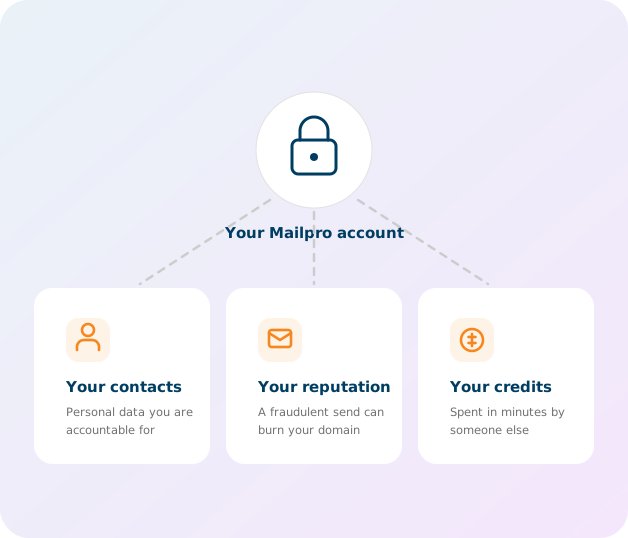
A password can leak without you knowing: reused on another site that got breached, guessed, or captured by a convincing phishing email. The day that happens, it is not only your account at stake.
- Your contact list — personal data you are legally accountable for under the GDPR.
- Your sender reputation — a fraudulent send in your name can get your domain blacklisted for months.
- Your credits — spent in minutes by somebody else.
With the second factor on, a stolen password is not enough: without your phone, the login is refused.
How it works
Two proofs beat one
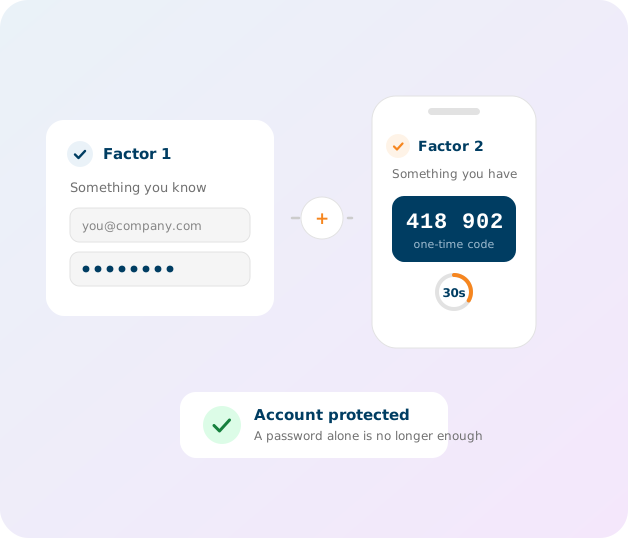
At login, Mailpro asks for two things of a different nature:
- Something you know — your email address and your password.
- Something you have — your phone, showing a six-digit code valid for thirty seconds.
That is the whole point: an attacker can steal the first remotely, but would also need your phone in hand. The code is computed offline by your app — it travels neither by SMS nor by email, two channels we now know can be intercepted.
Setup
Three steps, under two minutes
There is nothing to install on the Mailpro side, and no in-house app to download.
-
1
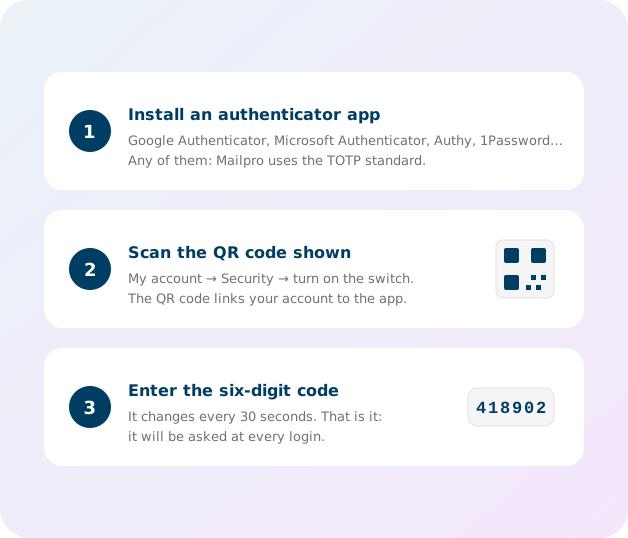
Install an authenticator app
Google Authenticator, Microsoft Authenticator, Authy, 1Password, Bitwarden… whichever you like. Mailpro uses the TOTP standard, so they are all compatible. If you already use one for another service, keep it.
-
2
Scan the QR code from your account
Go to My account → Security and turn on the two-factor authentication switch. A QR code appears: scan it with your app, which will then add Mailpro to its list.
-
3
Confirm with the six-digit code
Enter the code shown by the app and validate. That is it: it will be asked at every login, right after your password.
The questions we get
What happens if I lose my phone?
This is the question that holds people back the most, and the answer is simple: an administrator on your account can turn off your two-factor authentication from My account → Users. You then log in with your password alone and re-enable 2FA on your new phone. If you are alone on the account and no longer have access to your app, contact our support from the account email address.
Do I have to enter a code at every login?
Yes, after your password. In practice it adds about ten seconds: you open the app, read six digits, type them in. That is the price of making a stolen password useless.
My code is refused even though it is correct
In almost every case, the phone clock is to blame. The code is derived from the time: if your phone is set manually and drifts by more than a few dozen seconds, the codes no longer match. Turn on automatic date and time on your device, then try again.
Can I turn it off later?
Yes, from My account → Security, with the same switch. We advise against it: it is the strongest protection for the smallest effort you can put on your account.
Can I enforce it across my team?
Each user enables 2FA on their own access. From My account → Users, an administrator sees at a glance who has it on and who does not — handy to chase the stragglers. If you manage several user accounts, that is the first screen to check.
Turn it on now
Log in, open My account → Security, and follow the three steps. You only have to do it once.
Hosted in Switzerland
Your data and your contacts’ data stay on our Swiss servers, under Swiss law, since 2001.
Encrypted end to end
Every connection to Mailpro is protected by TLS 1.3, including the exchange of your authentication code.
GDPR compliant
Securing access to the personal data you process is part of your obligations. 2FA contributes directly.