Form
3 pages
10 questions
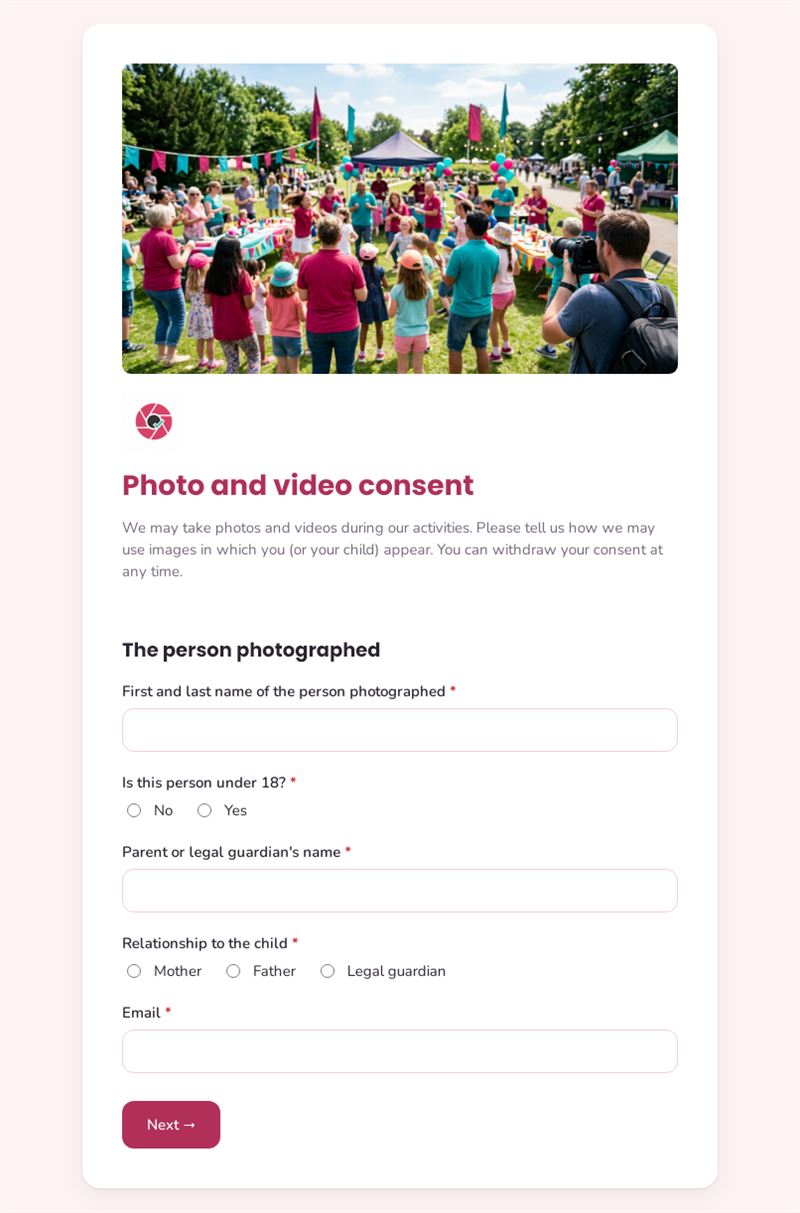
We may take photos and videos during our activities. Please tell us how we may use images in which you (or your child) appear. You can withdraw your consent at any time.
Use this templateThis photo release form records how you may use photos and videos in which a person appears, and for how long. It handles adults and minors, lets people choose each channel separately and reminds them that they can withdraw their consent at any time.
What is this photo release form for?
Before publishing pictures from a class, an event or a team day, you need to know what each person accepts. The form asks for the name of the person photographed and whether they are under 18; for a minor, a parent or legal guardian identifies themselves and their relationship to the child. The person then chooses where images may appear (website, social media, newsletters, printed materials or internal use only), whether their first name may be mentioned and for how long the consent applies. It works as a combined photo and video consent form, completed online and dated.
Who is it for?
- Schools, nurseries and holiday camps
- Sports clubs and cultural associations
- Companies photographing employees for internal or external communication
- Event organisers and photographers covering conferences or weddings
How to adapt it in Mailpro
Edit the list of channels and durations, rewrite the introduction for your context and add your logo and colours. The guardian questions are conditional and only appear for minors. Share the form by link before the event, by QR code at the registration desk or in a Mailpro newsletter to parents or members; responses arrive in Mailpro, and you can tag contacts who refused publication so your team can check before posting.
Tips
- Ask for consent before the event, not after the photos are taken.
- Keep the choices granular: some people accept internal use but not social media.
- Have the wording checked against the data protection and image rights rules that apply to you; this template is not legal advice.
- Renew the consent when the chosen period ends, reusing the same photo release form template.
Frequently asked questions
Do I need a photo release form for every event?
If the consent covers a period such as one year and lists the relevant uses, one form can cover several events. Otherwise, ask again.
Is a video release form different from a photo consent form?
The principles are the same. This template covers both, so you only ask once.
What if someone withdraws their consent?
Stop using their images in new publications and, where possible, remove them from existing ones. Explain in the introduction how to contact you to withdraw.
Questions in this template
The person photographed
- First and last name of the person photographed
-
Is this person under 18?
No · Yes - Parent or legal guardian's name
-
Relationship to the child
Mother · Father · Legal guardian
Authorised uses
-
Where may we use these images? (several answers)
Our website · Social media · Newsletters · Printed materials (brochures, posters) · Internal use only -
May we mention the first name with the image?
Yes · No -
For how long?
1 year · 3 years · Until I withdraw my consent
Confirmation
- Consent
- Date