Form
3 pages
10 questions
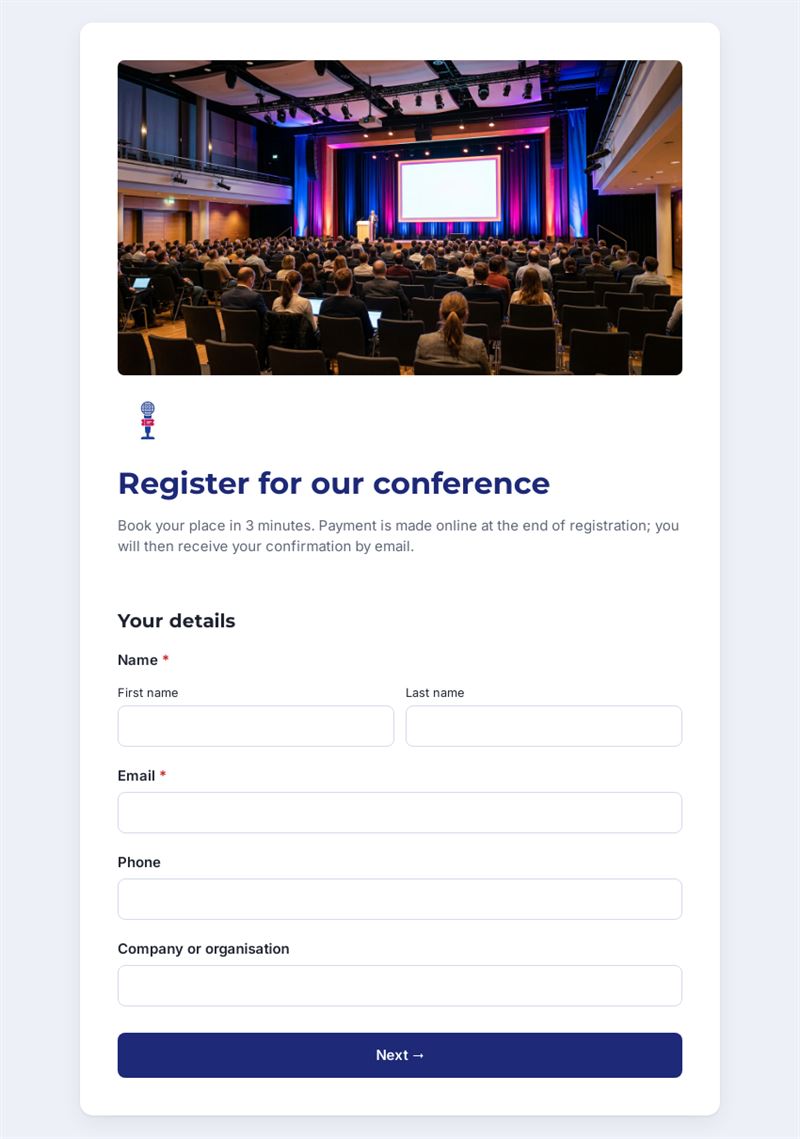
Book your place in 3 minutes. Payment is made online at the end of registration; you will then receive your confirmation by email.
Use this templateThis conference registration form lets participants book their place and pay online in one go. In about three minutes over three short pages, they give their contact details, choose a ticket, select afternoon workshops, state their lunch preference and mention any special needs, then pay at the end and receive a confirmation by email.
What is this online conference registration form for?
Organising a conference means juggling attendee lists, payments, workshop numbers and catering. This form gathers everything in one place. The ticket question offers a standard rate, a reduced rate for students and jobseekers and a supporter ticket for those who want to contribute more. Workshop choices help you plan rooms and speakers, the lunch question gives caterers exact figures for each diet, and the accessibility field lets you prepare interpreting or step-free access in advance. Participants accept your terms before paying, which keeps the process clear for everyone.
Who is it for?
- Professional associations running an annual congress
- Companies organising a customer or partner conference
- Universities and research groups hosting a symposium
- Event agencies managing registrations on behalf of clients
- Non-profits holding a paid forum or study day
How to adapt it in Mailpro
Start from this conference registration form template and enter your ticket prices, workshop titles and lunch options. Online payment is built into the form, so the registration is complete once the participant has paid. Edit the terms and texts, add your logo and colours, then share the form by link on your event page, by QR code on flyers or in a Mailpro newsletter to your contacts. Registrations arrive in Mailpro, and you can set tags on contacts according to their answers, for example by workshop, to send each group practical information before the day.
Tips
- Replace the placeholder workshop names as soon as the programme is confirmed.
- State clearly who is eligible for the reduced rate and what proof may be requested on site.
- Close registration a few days before the event to give caterers final numbers.
- Send a reminder newsletter to registered participants with the schedule and directions.
Frequently asked questions
Can participants register without paying online?
The template is designed with payment at the end of registration. You can adapt it if some tickets are free, for instance for speakers.
Can I use it as a general online event registration form?
Yes. It works for seminars, trade days or workshops: simply rename the tickets and remove what you do not need.
How do I limit workshop places?
Follow registrations in Mailpro and update the options when a workshop is full.
Questions in this template
Your details
- Name
- Phone
- Company or organisation
Your ticket
-
Your ticket
Standard ticket · Reduced rate (students, jobseekers) · Supporter ticket -
Afternoon workshops (choose one or more)
Workshop A: topic to be confirmed · Workshop B: topic to be confirmed · Workshop C: topic to be confirmed -
Lunch
No special diet · Vegetarian · Vegan · Gluten-free · I will not stay for lunch - Do you have any special needs (accessibility, interpreting…)?
Confirmation
- Terms
- Information