Form
1 page
5 questions
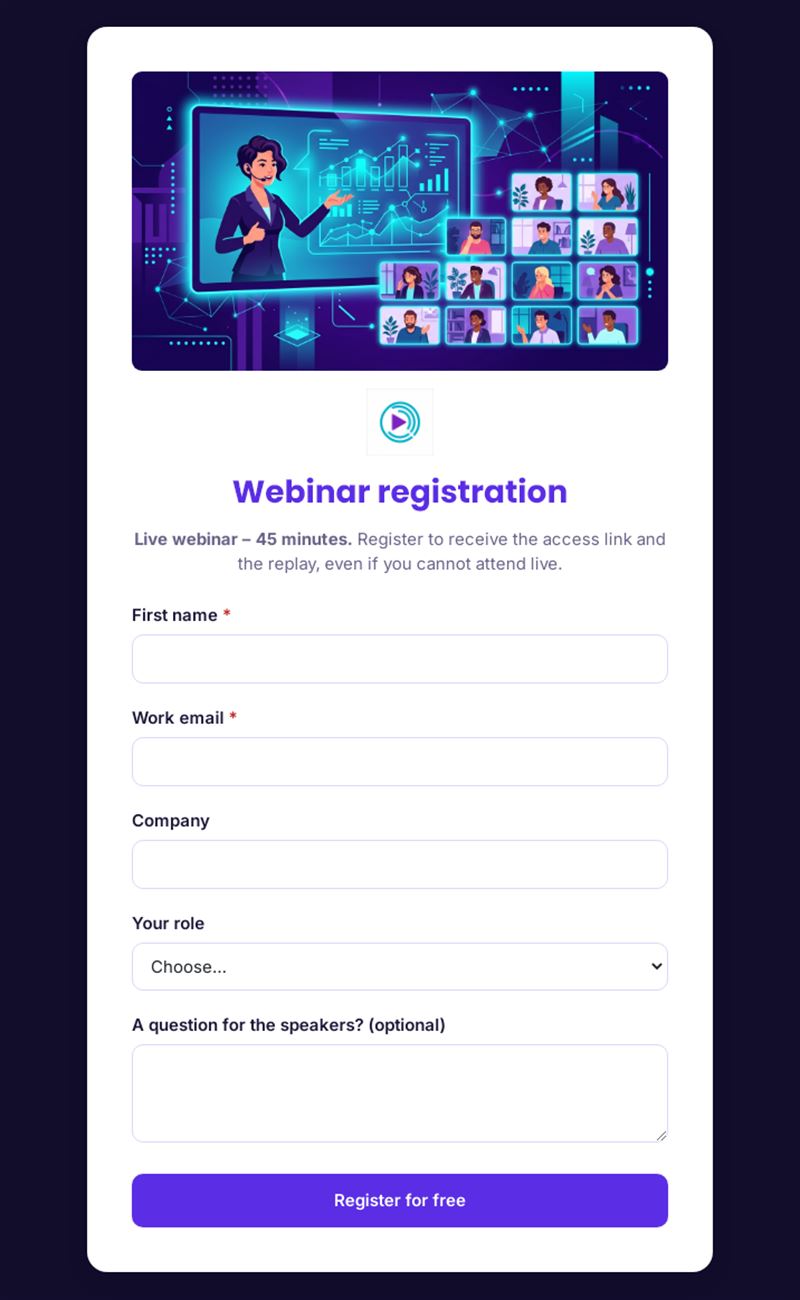
Live webinar – 45 minutes. Register to receive the access link and the replay, even if you cannot attend live.
Use this templateThis webinar registration form keeps sign-up to the essentials: first name, work email, company, role and an optional question for the speakers. Registrants receive the access link and the replay, even if they cannot attend live.
What is this webinar registration form for?
A short form means more sign-ups. With five fields, people register in seconds, while you still learn which companies and roles your webinar attracts. The role question (management, marketing, sales, IT or other) helps you tailor the examples during the session, and questions submitted in advance give speakers a head start for the Q&A. It suits a single live event as well as a regular series.
Who is it for?
- B2B marketing teams generating leads through online events
- Software publishers running product demos
- Training organisations and consultants hosting expert talks
- Associations and federations holding online information sessions
How to adapt it in Mailpro
Change the title, date and description in the introduction, adapt the roles to your audience and add your logo and colours. You can tag contacts according to their role, then send each group a follow-up suited to its interests. Share the form through a link in your social posts, a QR code on a slide or in a Mailpro newsletter announcing the event; registrations arrive in Mailpro, where you can email the access link, reminders and the replay.
Tips
- State the date, time and time zone clearly in the introduction.
- Send a reminder the day before and one shortly before the start.
- Answer a few of the questions sent in advance during the webinar to reward participation.
- Send the replay to everyone registered, including those who attended.
Frequently asked questions
Do I need a dedicated page or just a form?
The form can be shared on its own by link, which works as a simple webinar registration page without building a website.
How many fields should a webinar sign up form have?
As few as possible. Name and email are essential; company and role are useful for B2B events.
Can I reuse this webinar registration template for every session?
Yes. Duplicate it and change the date and topic, keeping the same structure for comparable statistics.
Questions in this template
- First name
- Work email
- Company
-
Your role
Management · Marketing · Sales · IT · Other - A question for the speakers? (optional)