Quiz
1 page
12 questions
Timer: 10 min
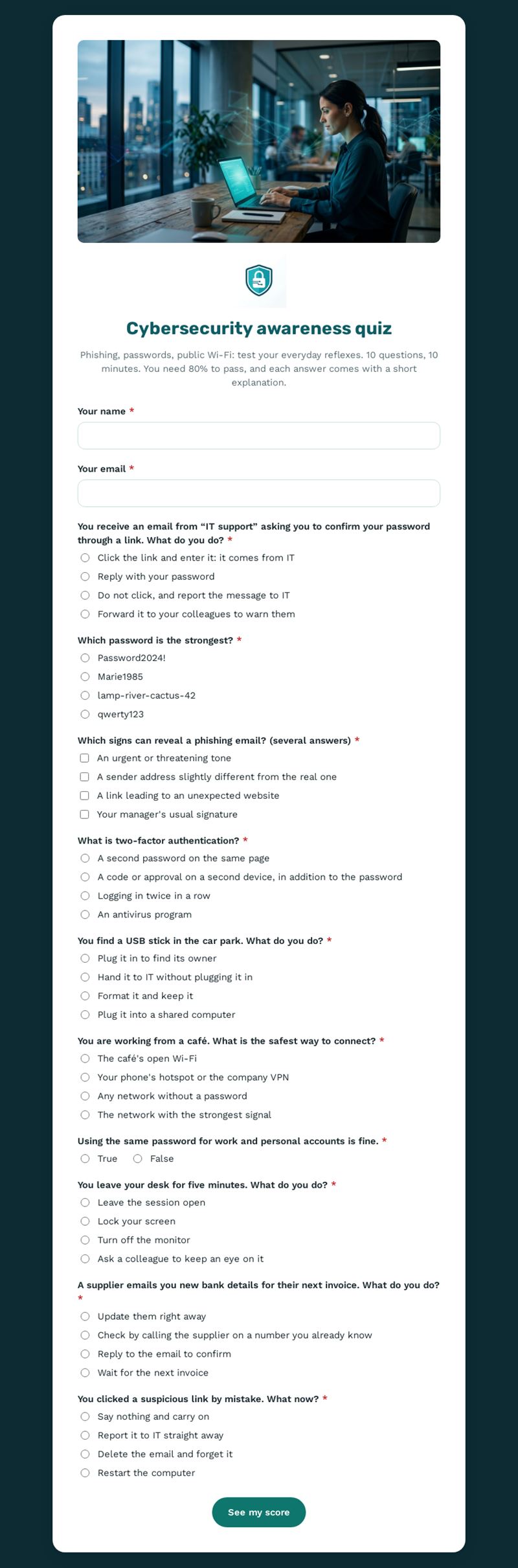
Phishing, passwords, public Wi-Fi: test your everyday reflexes. 10 questions, 10 minutes. You need 80% to pass, and each answer comes with a short explanation.
Use this templateThis cybersecurity awareness quiz tests everyday reflexes against phishing, weak passwords, public Wi-Fi and payment fraud. Ten questions in ten minutes, an 80% pass mark and a short explanation after each answer make it both a test and a mini training session.
What does this cybersecurity awareness quiz check?
Each question puts the participant in a realistic situation: a fake "IT support" email asking for a password, choosing a strong password, spotting the signs of a phishing message, understanding two-factor authentication, finding a USB stick in the car park, connecting from a café, reusing passwords, leaving a desk unlocked, receiving new bank details from a supplier and reacting after clicking a suspicious link. One question accepts several answers, which makes the phishing quiz part more realistic.
Who is it for?
- IT managers running a security awareness quiz for all staff
- HR teams including security basics in onboarding
- Small businesses without a dedicated security team
- Schools and associations whose volunteers handle personal data
How to adapt it in Mailpro
Rewrite the scenarios to reflect your own tools and procedures, such as the name of your IT contact, and add your logo and colours. The quiz is corrected automatically: you can change the pass mark, keep or adjust the 10-minute timer with its warning, limit attempts and present results by score bands. Share it by link, QR code or in an internal Mailpro newsletter; results arrive in Mailpro.
Tips
- Use real examples of attempts your organisation has received, with sensitive details removed.
- Run the quiz again every few months: threats evolve and habits fade.
- Keep the explanations short and practical so people remember the right reflex.
- Tell staff exactly how to report a suspicious message.
Frequently asked questions
How long should a cyber security quiz be?
Around ten questions works well. Longer quizzes tire participants and reduce the learning effect.
Where can I find good cybersecurity quiz questions?
Start from incidents and near misses in your own organisation, then add the classic topics covered here: phishing, passwords, devices and networks.
Does a cybersecurity awareness quiz replace security training?
No. It reinforces and measures awareness, but should come alongside proper training and clear internal procedures.
Questions in this template
- Your name
- Your email
-
You receive an email from “IT support” asking you to confirm your password through a link. What do you do?
Click the link and enter it: it comes from IT · Reply with your password · Do not click, and report the message to IT · Forward it to your colleagues to warn them -
Which password is the strongest?
Password2024! · Marie1985 · lamp-river-cactus-42 · qwerty123 -
Which signs can reveal a phishing email? (several answers)
An urgent or threatening tone · A sender address slightly different from the real one · A link leading to an unexpected website · Your manager's usual signature -
What is two-factor authentication?
A second password on the same page · A code or approval on a second device, in addition to the password · Logging in twice in a row · An antivirus program -
You find a USB stick in the car park. What do you do?
Plug it in to find its owner · Hand it to IT without plugging it in · Format it and keep it · Plug it into a shared computer -
You are working from a café. What is the safest way to connect?
The café's open Wi-Fi · Your phone's hotspot or the company VPN · Any network without a password · The network with the strongest signal -
Using the same password for work and personal accounts is fine.
True · False -
You leave your desk for five minutes. What do you do?
Leave the session open · Lock your screen · Turn off the monitor · Ask a colleague to keep an eye on it -
A supplier emails you new bank details for their next invoice. What do you do?
Update them right away · Check by calling the supplier on a number you already know · Reply to the email to confirm · Wait for the next invoice -
You clicked a suspicious link by mistake. What now?
Say nothing and carry on · Report it to IT straight away · Delete the email and forget it · Restart the computer