Quiz
1 page
14 questions
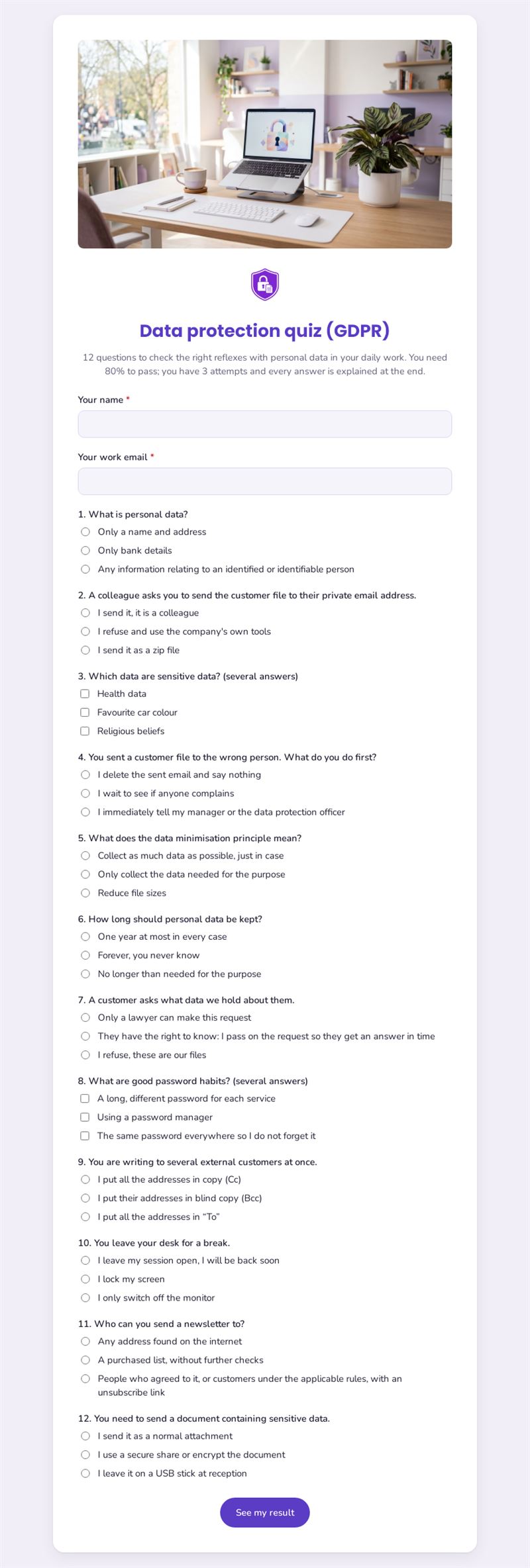
12 questions to check the right reflexes with personal data in your daily work. You need 80% to pass; you have 3 attempts and every answer is explained at the end.
Use this templateThis GDPR quiz checks whether your team has the right reflexes when handling personal data at work. Twelve practical questions, an 80% pass mark, three attempts and an explanation for every answer at the end: it turns awareness training into a short, concrete exercise.
What is this data protection quiz for?
Rules are only useful if people apply them in everyday situations. That is why this quiz relies on realistic scenarios rather than legal definitions: a colleague asking for a customer file on a private address, an email sent to the wrong person, a group message to external customers, a screen left unlocked during a break. Other questions cover sensitive data, minimisation, retention periods, access requests, passwords and consent for newsletters. The explanations shown at the end reinforce the right behaviour and give managers a basis for discussion.
Who is it for?
- Data protection officers running awareness campaigns
- HR teams including data protection in onboarding
- Small businesses without a compliance department
- Associations whose volunteers handle member data
- Managers who want to check their team's knowledge after a training session
How to adapt it in Mailpro
The template is a scored quiz with automatic correction, an 80% threshold and three attempts. You can change the pass mark and the number of attempts, add a timer, edit the questions to reflect your internal procedures and write your own explanations. Add your logo and colours, then share the GDPR quiz for employees by link, by QR code or in an internal newsletter sent with Mailpro. Results arrive in Mailpro, and you can set tags on contacts according to their answers, for example to invite those who did not pass to a refresher session.
Tips
- Adapt the scenarios to your sector: a clinic, a shop and a school face different situations.
- Mention your internal contact person in the explanations so staff know whom to call.
- Repeat the quiz once a year or after an incident to keep good habits alive.
- Present it as a learning tool, not a test of individuals.
Frequently asked questions
Does this quiz make my organisation compliant?
No. It supports awareness but does not replace legal advice, a compliance programme or any training your organisation is required to provide.
Can I use it as a GDPR training quiz after a course?
Yes, it works well as a final check after a session, with the explanations serving as a summary.
How long does it take?
Most participants need only a few minutes for the twelve questions.
Questions in this template
- Your name
- Your work email
-
1. What is personal data?
Only a name and address · Only bank details · Any information relating to an identified or identifiable person -
2. A colleague asks you to send the customer file to their private email address.
I send it, it is a colleague · I refuse and use the company's own tools · I send it as a zip file -
3. Which data are sensitive data? (several answers)
Health data · Favourite car colour · Religious beliefs -
4. You sent a customer file to the wrong person. What do you do first?
I delete the sent email and say nothing · I wait to see if anyone complains · I immediately tell my manager or the data protection officer -
5. What does the data minimisation principle mean?
Collect as much data as possible, just in case · Only collect the data needed for the purpose · Reduce file sizes -
6. How long should personal data be kept?
One year at most in every case · Forever, you never know · No longer than needed for the purpose -
7. A customer asks what data we hold about them.
Only a lawyer can make this request · They have the right to know: I pass on the request so they get an answer in time · I refuse, these are our files -
8. What are good password habits? (several answers)
A long, different password for each service · Using a password manager · The same password everywhere so I do not forget it -
9. You are writing to several external customers at once.
I put all the addresses in copy (Cc) · I put their addresses in blind copy (Bcc) · I put all the addresses in “To” -
10. You leave your desk for a break.
I leave my session open, I will be back soon · I lock my screen · I only switch off the monitor -
11. Who can you send a newsletter to?
Any address found on the internet · A purchased list, without further checks · People who agreed to it, or customers under the applicable rules, with an unsubscribe link -
12. You need to send a document containing sensitive data.
I send it as a normal attachment · I use a secure share or encrypt the document · I leave it on a USB stick at reception