
Measure what works — every metric that matters.
Discover the strengths and weaknesses of every newsletter. Mailpro's statistics suite gives you a complete, real-time overview of your email marketing — from opens and clicks to geolocation, devices and shareable reports.
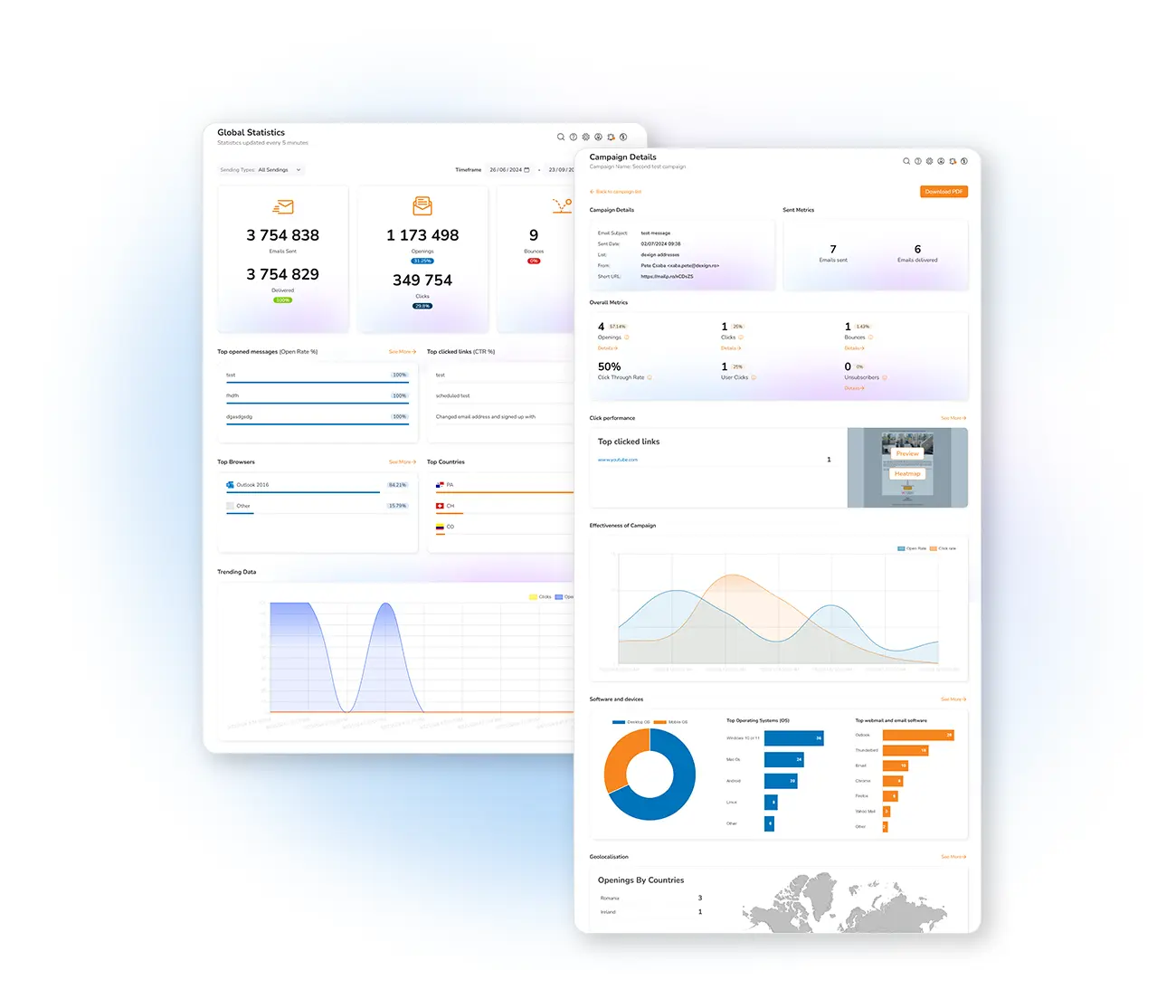
Turn data into better campaigns
Check the effectiveness of every send with statistical tools that reveal where you succeeded and how to improve. A quick glance shows the general trends of your messages; a deeper look breaks down each campaign in detail — so you can act, not guess. Read the metrics that matter in our email analytics guide.
Every report, in one place
Explore each part of Mailpro's statistics and reporting.
Global statistics
A general view of all campaigns in real time.
Campaign statistics
The detailed analysis of each individual send.
Real-time statistics
Watch opens and clicks land as they happen.
Opening analysis
Who opened, when, and from which address book.
Click analysis
Your top links, ranked by interaction.
Heatmap
See exactly where subscribers click.
Geolocation
Where in the world your emails are opened.
Email client & OS
Which apps and systems your readers use.
Campaign comparison
Contrast sends to see what performed best.
Automation statistics
How your autoresponders perform.
Unsubscribe rate
Track churn and keep your list healthy.
White-label PDF reports
Branded reports for clients and teams.
Monthly report
A summary of your activity, emailed each month.
Frequently asked questions
What statistics does Mailpro track?
Can I export or share reports?
Are the statistics in real time?
Know exactly how your campaigns perform
Start free and get the full statistics suite — real-time metrics, comparisons and branded reports.