

An email written for you, or yours improved
Describe what you want to say: the AI writes an email in your style in seconds. Already have a text? It makes it clearer and more compelling.
The AI email writer →
Subject lines that make people open
Several subject line ideas tailored to your message and your audience: you choose, you compare, you keep the one that works.
The subject line generator →
One campaign, several languages
Your email translated in one click, with natural wording, so you can write to every customer in their own language.
The email translator →
Visuals created for your campaign
Describe the image you need: the AI creates it for your email, no stock photo library required.
The image generator →
Your AI assistant, plugged into your account
The Mailpro MCP server gives your assistant 51 tools. You connect it once with your Mailpro account (OAuth, no API key to copy), then you talk to it like a colleague.
It reads, it prepares, it sends
- It reads your lists, your templates, your campaigns and their opens, clicks and bounces.
- It adds contacts, creates lists and templates, and prepares campaigns.
- It sends an email or an SMS, and tells you how many credits you have left.
With approval or automatic: your choice
- By default, every send waits for your approval.
- Or direct sending, with a daily cap for each assistant.
- A log keeps track of everything, and one click suspends all sends.
- Your data stays in our data center in Switzerland; what the assistant reads also goes through the AI you chose.

Open the AI Assistants page
In your Mailpro account, on the AI Assistants (MCP) page, you will find the server address.
Add Mailpro to your assistant
Paste the address into your assistant, sign in to Mailpro and accept the requested permissions.
Ask, then approve
Talk to your assistant; approve its sends in Mailpro, or let it send within its cap.
Which AI can you connect to Mailpro?
Any AI that supports a remote MCP server with OAuth sign-in. Each guide shows where the setting is, what the tool does best and what to know before you start.
Online assistants
You chat with them on the web, on your computer or on your phone.
Automation and development
AI agents that work on their own, and tools for developers.
Open models, on your own hardware
A language model that runs on your machines: your conversations stay with you, and only the calls to Mailpro go out.
The developer portal: MCP and API
The MCP server is for the assistant; your application calls the API. Both are documented on the portal, with the same accounts and the same OAuth sign-in.
Connect an assistant: the MCP documentation → The 51 MCP tools and their parameters → The Mailpro API: emails, SMS, contacts, webhooks →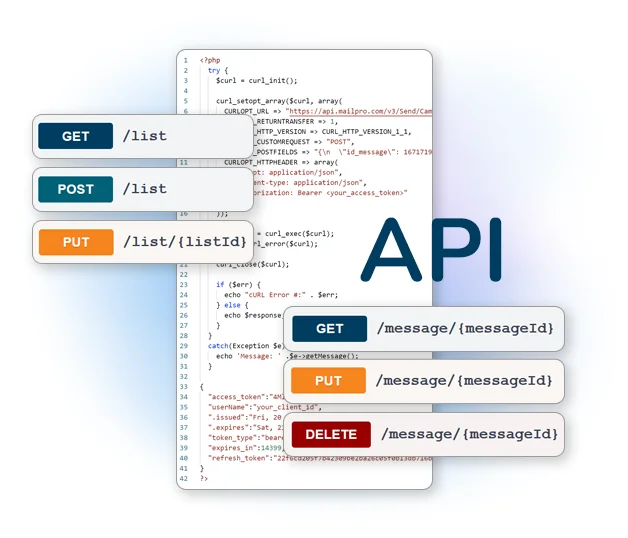
AI terms, explained simply
Frequently asked questions
What is the difference between the built-in AI tools and the MCP server?
Which AI can I connect to Mailpro?
Can the AI send without my approval?
Where do I find the MCP server address?
AI, backed by a real email marketing tool
The AI tools are in the editor as soon as you sign up, and the AI Assistants page of your account connects your assistant in a few minutes.