
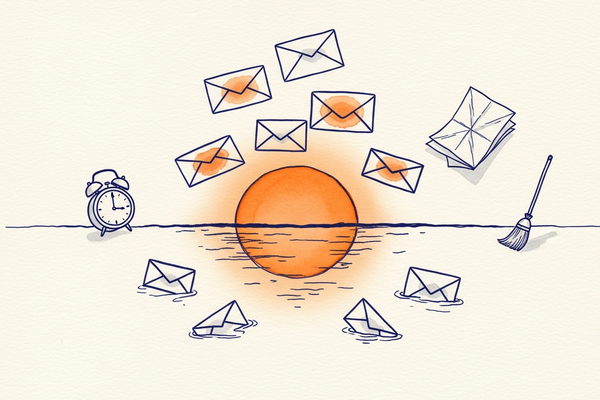
What is an email sunset policy?
An email sunset policy is a documented rule for automatically retiring subscribers who have stopped engaging with your emails after a defined period of inactivity. Instead of mailing the same disengaged addresses forever, you move them onto a re-engagement track and, if they still do not respond, you stop sending to them. The goal is not to shrink your list for its own sake — it is to keep your active audience engaged and your sender reputation strong.
Every list accumulates dead weight over time: people who changed jobs, lost interest, or never really wanted your emails in the first place. Continuing to mail them quietly erodes your deliverability, because inbox providers read persistent low engagement as a signal that your mail is unwanted.
Key takeaways
- A sunset policy retires subscribers who have not opened or clicked within a set window — commonly 3 to 6 months.
- Inactive contacts drag down your open and click rates, which hurts inbox placement for your whole list.
- Always run a re-engagement campaign before removing anyone — some "inactive" contacts just need a reason to come back.
- Suppress, don't delete: keep retired contacts in a separate list so they are never accidentally re-imported.
- Automating the policy keeps your list clean continuously, not just in a once-a-year purge.
Sunset policy vs re-engagement campaign: what's the difference?
A re-engagement campaign is the action you take to win inactive subscribers back; a sunset policy is the rule that decides who enters that campaign and what happens when it fails. In other words, the re-engagement campaign is one step inside the wider sunset policy. The policy sets the threshold ("no activity in four months"), triggers the re-engagement attempt, and then defines the outcome for people who still do not respond — suppression. Treating the two as the same thing is a common mistake: sending "we miss you" emails forever, with no rule to eventually stop, keeps the dead weight on your list and never solves the deliverability problem.
Why do inactive subscribers hurt your email program?
Inactive subscribers hurt you in three concrete ways: they drag down your engagement metrics, they raise your risk of hitting spam traps and complaints, and they waste money. Mailbox providers like Gmail, Outlook and Yahoo decide where your mail lands partly by how your recent recipients behave. When a large share of your list never opens, your overall engagement falls and more of your mail — even to engaged readers — slips into the spam folder.
Abandoned addresses are also the raw material for email blacklists and spam traps. An address that was genuine years ago can be recycled into a trap; keep mailing it and you can get your domain or IP flagged. High volumes of unengaged sending also push up your spam complaint rate, and complaints are one of the fastest ways to damage a sender reputation. Finally, many platforms charge by the size of your list, so paying to reach people who will never convert is wasted budget. Mailpro™ prices by the number of emails you actually send rather than the size of your list, which softens that last cost — but the deliverability damage still lands on everyone.
Much of this traces back to email fatigue: subscribers who once cared have been over-mailed or under-served, and they quietly tune out long before they bother to unsubscribe.
When should you sunset a subscriber?
Sunset a subscriber when they have shown no meaningful engagement — no opens, no clicks, no site visits or purchases — across a window long enough to be confident they are truly gone. There is no single universal number, because the right window depends on how often you send and how long your buying cycle is. A daily-deals brand can judge inactivity in weeks; a business that emails monthly must wait longer before calling someone inactive.
As a starting framework:
| Sending frequency | Flag as inactive after | Sunset after re-engagement fails |
| Daily | ~30–60 days with no engagement | ~90 days |
| Weekly | ~90 days with no engagement | 4–6 months |
| Monthly | ~6 months with no engagement | 9–12 months |
One important caveat: Apple's Mail Privacy Protection and similar features inflate open rates by pre-loading images, so opens alone are no longer a reliable signal. Weight clicks, replies, purchases and site visits more heavily than opens when you define inactivity — otherwise you may sunset people who are actually reading you.
Before you retire anyone, isolate them cleanly. With Mailpro's email segmentation you can build a dynamic "inactive" segment based on last-open and last-click dates.
How do you build a sunset policy step by step?
Build a sunset policy in five steps: define inactivity, segment the inactive contacts, try to win them back, suppress the non-responders, and automate the cycle. Here is the practical sequence.
- Define your inactivity window. Pick a threshold based on your sending frequency (see the table above) and decide which signals count — prioritise clicks and conversions over opens.
- Segment the inactive contacts. Create a segment of everyone who crosses that threshold so you can treat them as a group without touching your engaged audience. Our guide to email segmenting shows how to slice a list this way.
- Run a re-engagement campaign. Give people a clear reason to stay: a "we miss you" message, an incentive, a preference-centre link, or a simple "do you still want to hear from us?" A well-built win-back email often recovers a meaningful slice of the segment.
- Suppress the non-responders. Anyone who still does not engage after the re-engagement window is moved to a suppression list — not deleted, suppressed — so they stop receiving campaigns but stay on record and cannot be accidentally re-imported. This is the heart of keeping your email list clean.
- Automate it. Turn the policy into an ongoing automation so contacts flow through the same re-engage-then-retire path continuously, rather than in an annual clean-up.
Done consistently, this loop steadily raises your open and click rates and, in turn, your email deliverability, because you are only mailing people who want to hear from you.
What does a good re-engagement email look like?
A good re-engagement email is short, honest, and gives one clear choice: stay or go. It leads with a subject line that acknowledges the silence, says plainly that you have noticed the subscriber drift away, offers a reason to stay, and makes both "keep me subscribed" and "unsubscribe" easy. Here is a simple template you can adapt.
Subject line options:
- "Still want to hear from us?"
- "We miss you — is this goodbye?"
- "Your subscription is about to pause"
Body:
Hi {first name},
We noticed you haven't opened our emails in a while, and we don't want to clutter your inbox. If you'd still like to hear from us, just click below and you're all set. If not, no hard feelings — you can unsubscribe in one tap.
[ Keep me subscribed ] [ Unsubscribe ]
We'd love to keep sending you {what they signed up for}, but only if it's genuinely useful to you.
Send this as a short sequence — typically two or three emails a few days apart — rather than a single message, and vary the angle each time: a friendly reminder, then an incentive, then a final "last chance" notice. Personalising the subject line and referencing what the subscriber originally signed up for both lift response rates.
How do you measure if your sunset policy is working?
You measure a sunset policy by watching your engagement and deliverability metrics move in the right direction after each cycle — not by list size. The whole point is a healthier, more responsive audience, so the numbers to track are:
- Open and click rate — should rise, because you are dividing engagement across fewer, more active contacts.
- Deliverability / inbox placement — should improve as providers see stronger engagement signals; watch it alongside your email deliverability reporting.
- Spam complaint rate — should fall, since the people most likely to hit "report spam" are the disengaged ones you have retired.
- Bounce rate — should drop as stale addresses leave the active list.
- Re-engagement recovery rate — the share of your inactive segment that comes back; this tells you whether your win-back content is any good.
- Revenue per email — often rises, because engaged audiences convert better even though you send fewer messages.
Give each metric a full cycle or two to settle before judging, and compare against your own baseline rather than generic benchmarks.
Sunset policy best practices and mistakes to avoid
The biggest mistake is deleting inactive contacts outright with no chance to return; the second is never sunsetting at all. Keep these principles in mind:
- Always re-engage first. Never suppress someone without at least one clear win-back attempt.
- Suppress, never hard-delete. A suppression list protects you from re-adding the same dead addresses later.
- Don't rely on opens alone. With privacy features inflating opens, use clicks and conversions to judge real interest.
- Match cadence to your audience. Over-mailing creates the very inactivity you are trying to cure — see how often you should email your list.
- Document the rule. Write the thresholds down so the policy is applied consistently across your team.
- Review the numbers. Track how engagement and your unsubscribe rate move after each cycle, and adjust the windows.
Frequently asked questions
What is a good inactivity window before sunsetting?
For most senders, 3 to 6 months with no opens or clicks is a reasonable point to flag a contact as inactive, followed by a re-engagement window of a few weeks before suppressing. Adjust the window up for infrequent senders and down for daily senders.
Should I delete inactive subscribers or just stop emailing them?
Stop emailing them by moving them to a suppression list rather than deleting them. Suppression keeps a record so the same addresses cannot be re-imported and re-mailed by mistake, which protects your deliverability over the long term.
Will removing subscribers hurt my numbers?
Your total list size drops, but the metrics that matter — open rate, click rate, deliverability and ROI — improve, because you are measuring a genuinely engaged audience. A smaller, active list outperforms a large, dormant one.
How does a sunset policy improve deliverability?
Inbox providers judge your reputation by recent engagement. Removing chronically unengaged recipients raises your average engagement and lowers complaint and bounce rates, signalling to providers that your mail is wanted — so more of it reaches the inbox.
Can I automate a sunset policy in Mailpro?
Yes. Using segmentation and automated emails, Mailpro can identify inactive contacts, send a re-engagement sequence, and suppress those who do not respond, so your list stays clean without manual work.
What is the difference between a sunset policy and a re-engagement campaign?
A re-engagement campaign is the win-back attempt itself; a sunset policy is the overall rule that decides who enters that campaign and suppresses those who still do not respond. The campaign is one step inside the policy.
How often should I run a sunset policy?
Ideally, run it continuously as an automation rather than as an occasional purge. If you handle it manually, review your inactive segment at least quarterly so dead weight never accumulates for long.
Mailpro and list hygiene
Keep your list clean and your inbox placement strong
Segment inactive contacts, run win-back campaigns, and suppress the rest — automatically. Mailpro is Swiss-hosted, GDPR-native, and priced by emails sent, not list size.
