Form
1 page
6 questions
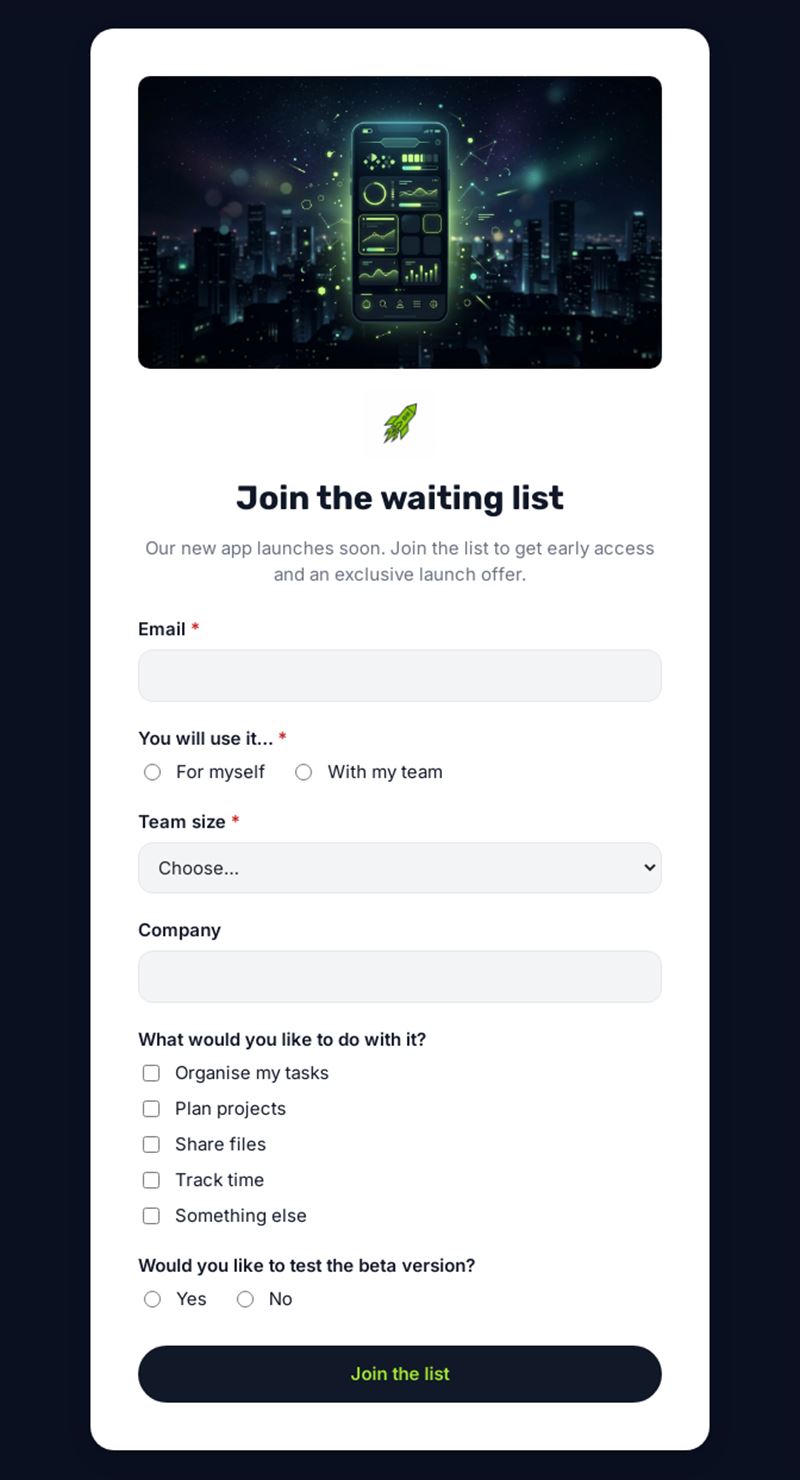
Our new app launches soon. Join the list to get early access and an exclusive launch offer.
Use this templateThis waitlist form gathers people interested in a product before it launches. Sign-up takes a few seconds, and you learn who your future users are, what they expect and who wants to test the beta version.
What is this waitlist form for?
The example is built for a new productivity app: visitors give their email, say whether they will use it alone or with a team, specify team size and company, and choose what they want to do with it (organise tasks, plan projects, share files, track time). A final question identifies volunteers for the beta. In exchange, they are promised early access and an exclusive launch offer. The same waiting list form works for a product restock, a new class, a restaurant opening or a limited event.
Who is it for?
- Start-ups validating demand before launch
- Software and app publishers preparing a beta
- Shops and brands announcing a new product or a restock
- Training centres and venues with more demand than places
How to adapt it in Mailpro
Rewrite the introduction and the use cases to match your product, and add your logo and colours. The team questions already appear only for team use, thanks to conditional questions. You can tag contacts according to their answers, for example beta volunteers or large teams, then invite them in waves. Share the form via a link on your waitlist landing page, a QR code at events or in a Mailpro newsletter; sign-ups arrive in Mailpro.
Tips
- Say roughly when the launch will happen, and keep people informed.
- Thank each person right after sign-up with a short welcome email.
- Use the use-case answers to decide which features to highlight at launch.
- Invite beta testers first: they will give feedback and spread the word.
Frequently asked questions
How do I encourage people to join the waitlist?
Offer a clear benefit, such as early access or a launch offer, and keep the waitlist sign up form very short.
Should a waitlist form ask more than an email address?
Email is enough to register, but two or three optional questions help you prioritise and personalise your launch.
What happens when the product launches?
You email the people on the list from Mailpro, starting with the earliest or most engaged, and announce the promised offer.
Questions in this template
-
You will use it…
For myself · With my team -
Team size
2 to 5 · 6 to 20 · 21 to 100 · More than 100 - Company
-
What would you like to do with it?
Organise my tasks · Plan projects · Share files · Track time · Something else -
Would you like to test the beta version?
Yes · No