Quick poll
1 page
1 question
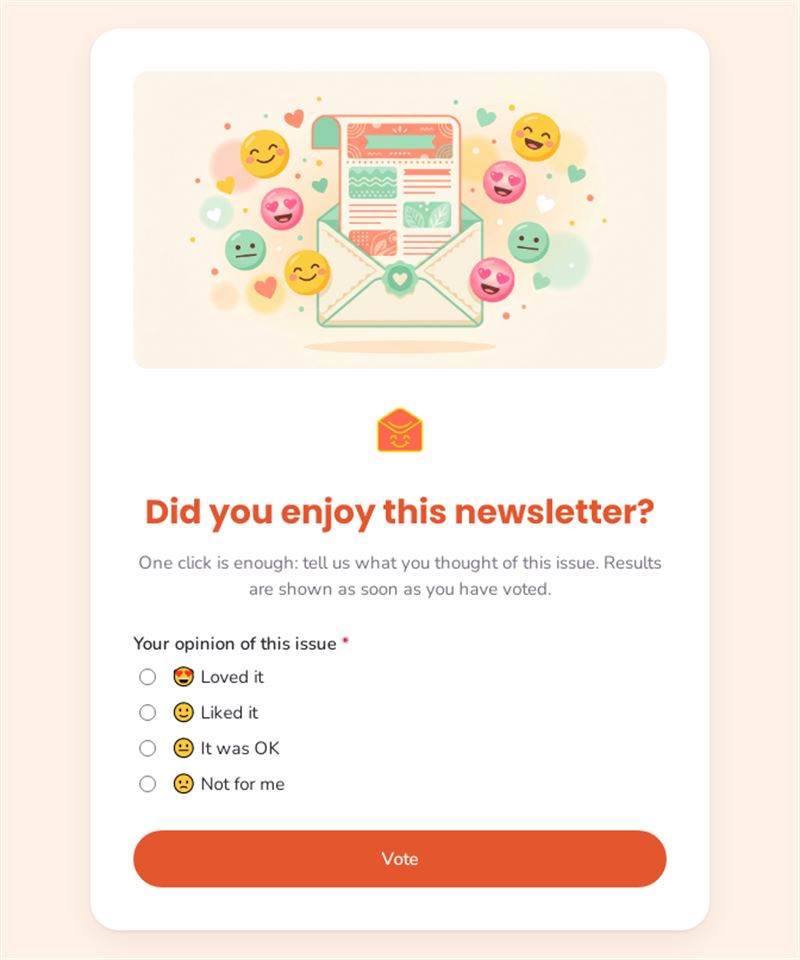
One click is enough: tell us what you thought of this issue. Results are shown as soon as you have voted.
Use this templateCollect newsletter feedback in a single click with this quick poll placed at the end of each issue. Readers say whether they loved it, liked it, found it OK or felt it was not for them, and you see the results straight away.
What is this one-click poll for?
Open and click rates tell you what people did, not what they thought. This poll asks one simple question with four answers illustrated by emojis, so replying takes a second. Results are shown to readers as soon as they have voted, which makes the exercise more engaging. Issue after issue, you can compare reactions and identify the formats, topics and lengths that please your audience, without sending a long newsletter feedback survey.
Who is it for?
- Marketing and communication teams publishing a regular newsletter
- Editors of internal newsletters who want employee feedback
- Associations and clubs informing their members
- Bloggers, creators and media sending editorial newsletters
How to adapt it in Mailpro
- Change the question or the answer options, for example to rate a specific article or format.
- Add your logo and colours so the poll matches your newsletter.
- Insert the poll at the bottom of your Mailpro newsletter, or share it by link or QR code.
- Votes arrive in Mailpro; tag readers who answered "Not for me" to adjust the content you send them.
Tips
- Place the poll at the end of the newsletter, where readers have just finished reading.
- Keep the same question every time, so results can be compared between issues.
- Follow up with a short form if you want detailed newsletter feedback questions.
- Thank readers for their votes and share what you changed.
Frequently asked questions
Why use a one-click poll rather than a newsletter feedback form?
One click is effortless, so many more readers respond. A longer form is useful occasionally, when you need detailed explanations.
Can I see the results for each issue separately?
Yes. Duplicate the poll for each issue, or rename it to keep the results of each edition apart.
Does this newsletter poll work for internal communications?
Absolutely: it is a simple way to measure how employees receive your internal newsletter.
Questions in this template
-
Your opinion of this issue
😍 Loved it · 🙂 Liked it · 😐 It was OK · 🙁 Not for me