Form
3 pages
15 questions
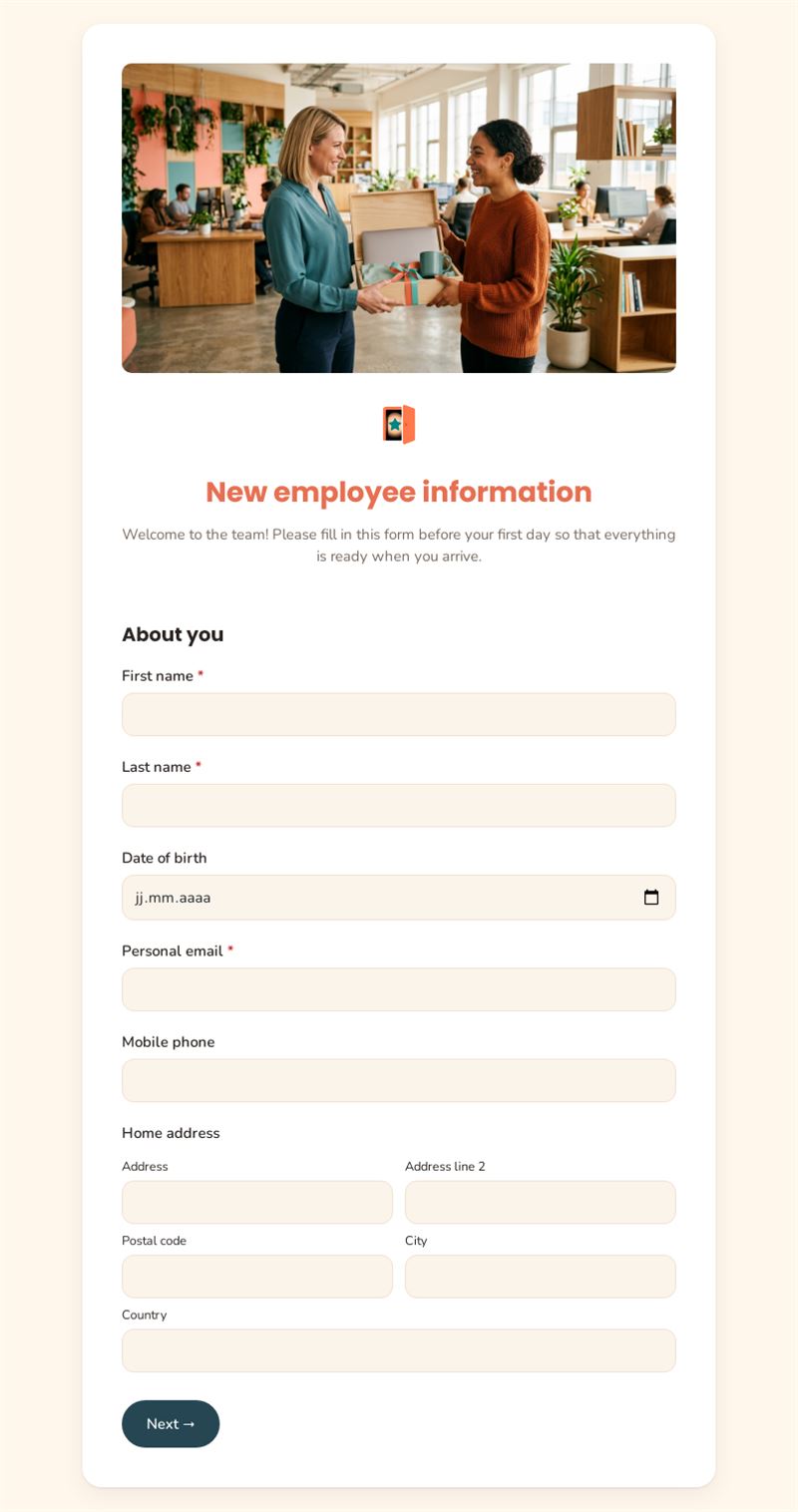
Welcome to the team! Please fill in this form before your first day so that everything is ready when you arrive.
Use this templateThis new employee information form collects everything you need from a new hire before their first day: personal details, start date, emergency contact, bank details and equipment needs. When the person arrives, their workstation, welcome pack and payroll record are already prepared.
What is this new employee information form for?
It replaces the stack of new hire paperwork sent by email. The new employee enters their identity, contact details and home address, their job title and start date, then their bank details for payroll and an emergency contact. Practical questions follow: T-shirt size for the welcome pack, office, hybrid or remote work, delivery address and the equipment they need, from a laptop to a headset. A final question about food allergies helps you plan team lunches.
Who is it for?
- HR teams organising onboarding
- Office managers and IT teams preparing equipment
- Start-ups and SMEs hiring regularly without an HR system
- Agencies and organisations welcoming interns or temporary staff
How to adapt it in Mailpro
- Edit the questions and texts: add a social security number field, a photo for the badge or a welcome message from the manager.
- Use your logo and colours for a first impression consistent with your employer brand.
- Add a file upload field if you want to receive a copy of an identity document or diploma.
- Send the link by email, or share it in a welcome newsletter sent with Mailpro; the answers arrive in Mailpro.
Tips
- Send the form as soon as the contract is signed to leave time for ordering equipment.
- Collect only the data you really need, and explain why: personal data rules such as the GDPR apply.
- Restrict access to the responses to the people who handle onboarding.
- Combine this new hire form with a welcome email giving the first-day schedule.
Frequently asked questions
What information should an employee information form contain?
Identity, contact details, start date and position, bank details for payroll and an emergency contact. Everything else depends on your onboarding process.
Is a new hire information sheet legally required?
Obligations vary by country. This template helps you gather information but does not replace the advice of an HR or legal specialist.
Can the employee complete it on a phone?
Yes. The form is online, so the new hire can open the link from a computer or a phone, wherever they are.
Questions in this template
About you
- First name
- Last name
- Date of birth
- Personal email
- Mobile phone
- Home address
Administrative details
- Start date
- Job title
- Bank details (IBAN)
- Emergency contact (name, relationship, phone)
-
T-shirt size (for the welcome pack)
XS · S · M · L · XL · XXL
Your workstation
-
Where will you mainly work?
At the office · Hybrid · Fully remote - Delivery address for your equipment
-
Equipment needed (several answers)
Laptop · Second screen · Headset · Mobile phone · Desk chair - Food allergies or dietary needs (for team lunches)