Form
2 pages
14 questions
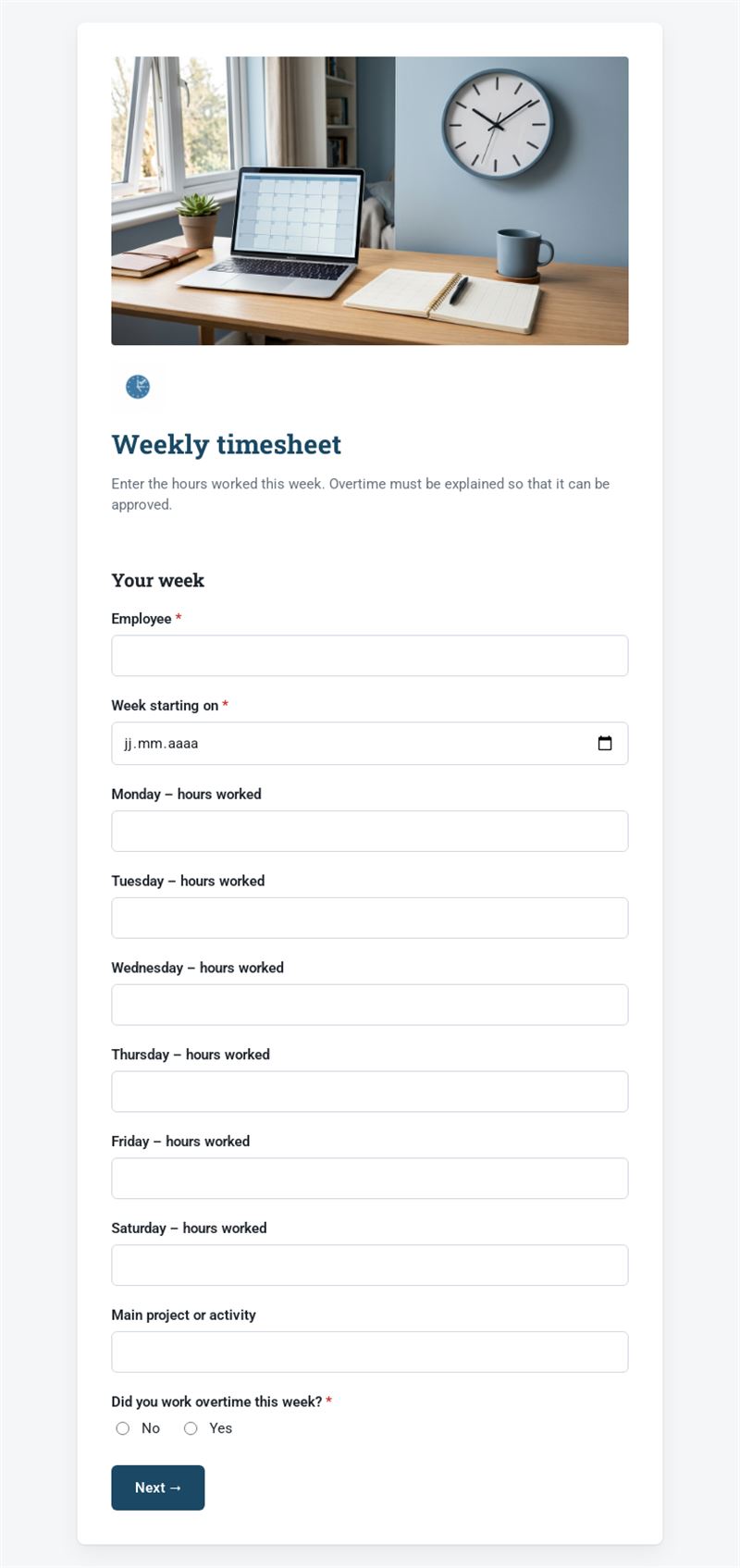
Enter the hours worked this week. Overtime must be explained so that it can be approved.
Use this templateThis weekly timesheet lets employees record the hours they worked each day of the week, the project they worked on and any overtime. Managers receive one clear entry per person and per week, ready to approve or pass on to payroll.
What is this weekly timesheet for?
It is a simple online timesheet for teams that do not need heavy time-tracking software. The employee enters the start date of the week, then the hours worked from Monday to Saturday and the main project or activity. If they worked overtime, the form asks for the reason, the number of extra hours and the compensation requested: payment or time off in lieu. The manager's email completes the entry so that overtime can be approved quickly.
Who is it for?
- Small businesses and agencies tracking time by project
- Shops, restaurants and workshops with variable schedules
- Part-time staff, temps and students paid by the hour
- Associations recording volunteer or employee hours
How to adapt it in Mailpro
Change the questions and texts to fit your organisation: add Sunday, split the hours by project or rename the compensation options. Add your logo and colours. Conditional questions keep the form short: the overtime details only appear when the employee answers "Yes". Share the form by link, QR code or in a weekly internal Mailpro newsletter; every employee timesheet arrives in Mailpro.
Tips
- Set a fixed day for submitting the timesheet, for example Friday afternoon or Monday morning.
- Specify the format expected for hours (decimal or hours and minutes) to avoid errors.
- Ask for a justification for every overtime hour, as the template does: approval becomes faster.
- Check working-time rules in your country; this template does not replace legal advice.
Frequently asked questions
Can I use this timesheet template for several projects?
Yes. Replace the "main project" field with a list of your projects, or add a line per project with the corresponding hours.
How do I send a weekly timesheet template to my team?
Share the link or QR code once, or include it in a recurring internal newsletter so everyone fills it in at the end of each week.
Does the form calculate totals automatically?
No. It collects the hours for each day; you calculate totals and overtime from the responses received.
Questions in this template
Your week
- Employee
- Week starting on
- Monday – hours worked
- Tuesday – hours worked
- Wednesday – hours worked
- Thursday – hours worked
- Friday – hours worked
- Saturday – hours worked
- Main project or activity
-
Did you work overtime this week?
No · Yes
Overtime
- Reason for overtime
- Number of overtime hours
-
Compensation requested
Payment · Time off in lieu - Manager's email