Form
1 page
10 questions
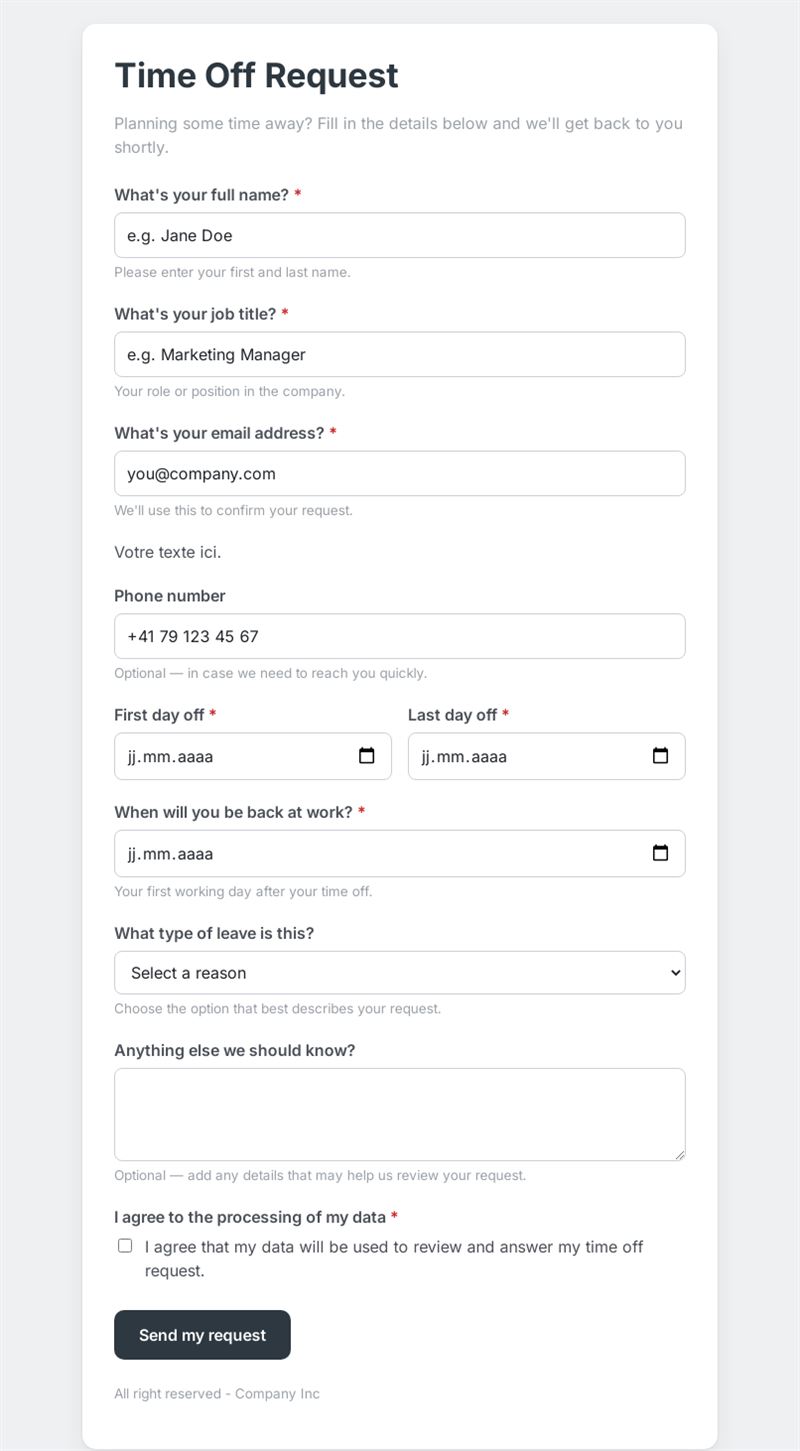
Planning some time away? Fill in the details below and we'll get back to you shortly.
Use this templateThis time off request form lets employees ask for leave in under two minutes: dates away, return date, type of leave and any useful note. Managers receive complete, consistent requests instead of scattered emails and messages.
What is this time off request form used for?
It covers every kind of absence: vacation, personal leave, sick leave or other reasons. The employee gives their name, job title and contact details, the first and last day off, the date they will be back at work, and can add context such as a handover or a pending task. Because every request has the same structure, it is easy to check team coverage before approving. It works as a vacation request form for planned holidays and as a simple leave request form for shorter absences.
Who is it for?
- Small and medium businesses without an HR software
- Shops, restaurants and teams working in shifts
- Schools, associations and clubs managing staff or volunteers
- Team leaders who want one clear channel for every PTO request form
How to adapt it in Mailpro
Edit the leave types to match your own policy (parental leave, training day, unpaid leave), change the wording of the questions and add your logo and colours. You can add conditional questions, for example asking for a medical certificate as an attachment only when sick leave is selected. Share the form through a link on your intranet, a QR code in the staff room or in an internal Mailpro newsletter; requests arrive in Mailpro.
Tips
- Explain in the introduction how much notice you expect for planned leave.
- Say who approves requests and how quickly employees will get an answer.
- Ask for the return date explicitly: it avoids confusion around weekends and public holidays.
- Keep the consent line so staff know how their data is used.
Frequently asked questions
Is this time off request form template suitable for part-time staff?
Yes. Add a field for the days or hours concerned if your team works irregular schedules.
Can employees request several separate periods at once?
It is simpler to submit one request per period, so each one can be approved or refused on its own.
Does the form calculate remaining leave balances?
No. It collects the request; balances and approval remain in your usual process.
Questions in this template
- What's your full name?
- What's your job title?
- What's your email address?
- Phone number
- First day off
- Last day off
- When will you be back at work?
-
What type of leave is this?
Vacation · Personal leave · Sick leave · Other - Anything else we should know?
- I agree to the processing of my data