
WHITE LABEL REPORTING
Send your clients results with your logo on them.
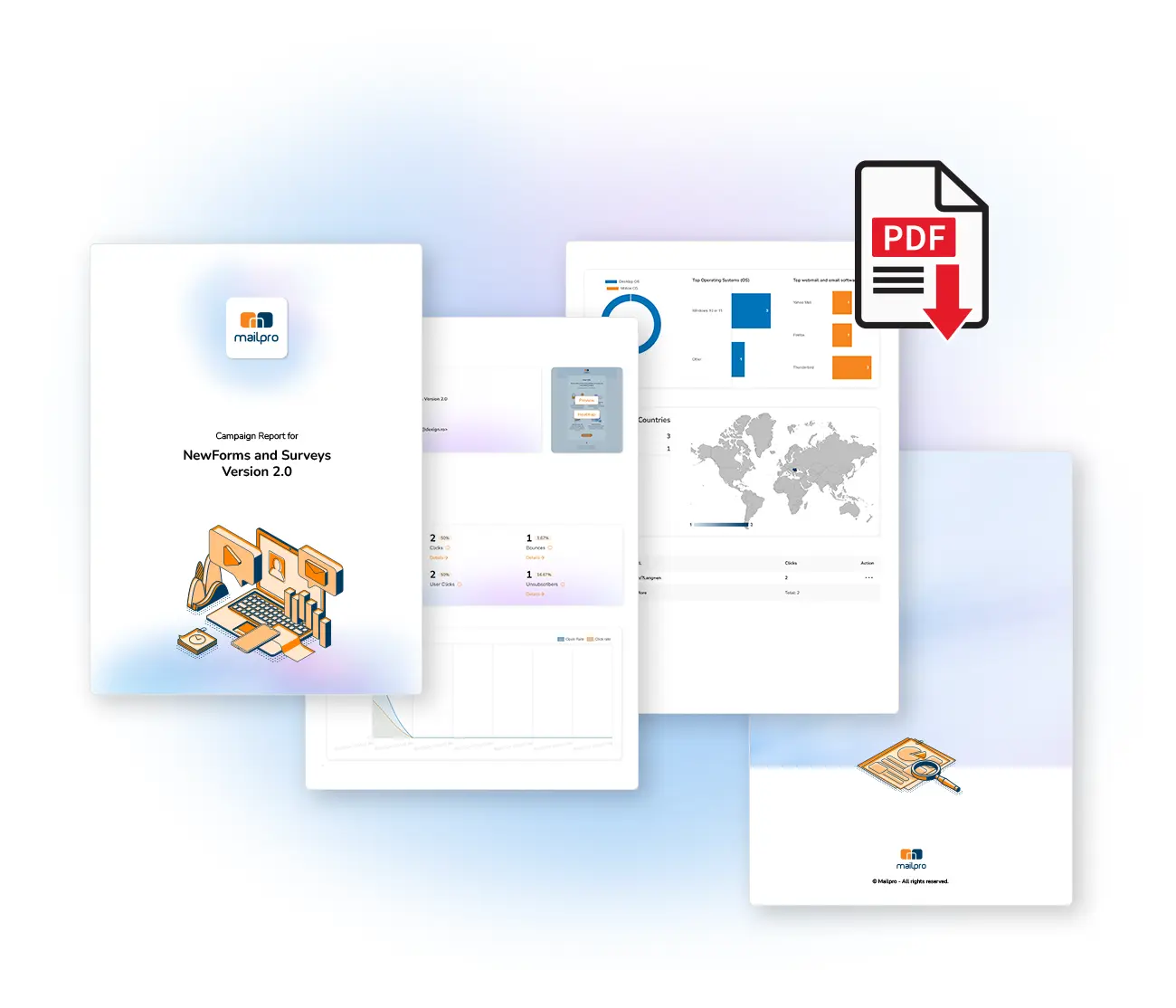
Export any campaign's statistics as a clean PDF report branded with your agency, company or client's logo — not Mailpro's. One click, ready to send.
Built for people who report to someone else
If you send campaigns on behalf of others, the report is the deliverable. It should look like it came from you.
Marketing agencies
Walk into a client meeting with a report that carries your agency's logo. Present results per campaign, per client, without exporting to a spreadsheet and rebuilding a deck.
Resellers and multi-account setups
Managing a separate Mailpro account per client? Each account carries its own logo, so every client's reports come out branded to them automatically.
In-house teams
Reporting up to a commercial team or management. A branded PDF reads as a finished document, not a screenshot of someone else's dashboard.
Three steps to a branded report
1
Add your logo
Upload your logo once in your account settings. It is applied to your exported reports from then on.
3
Export the PDF
Download the report and send it straight to your client or team — no rebuilding, no copy-paste.
What the report contains
The metrics that answer the question a client actually asks: did this work, and what should we do next?
Deliveries
How many emails were sent and reached subscribers.
Open rate
The share of recipients who opened — the headline engagement number.
Total clicks
How many recipients acted on your links, buttons and calls to action.
Bounces
Hard and soft bounces — typos and addresses that no longer exist.
Clicks per link
Which link earned the most interaction, not just the total.
Days and hours of engagement
When subscribers read and clicked — useful for timing the next send.
Opens by country
Where your subscribers are, so campaigns can be targeted by region.
Operating system
Mac, Windows, Android or iPhone — design for how they actually read.
Email client
Gmail, Yahoo, Outlook and others, so you know what to test against.
Exporting as PDF means the data is shareable immediately — send it to a client, hand it to your team, or attach it to a meeting invite. The Mailpro Academy covers how to read each metric in detail, with instructional videos.
"Easy to use, simple and very effective. We send emails and newsletters via Mailpro. A statistical report lets us follow our emails, the number of clicks and more. Mailpro is a tool we recommend to all."
S
SFSTP
Mailpro customer
Mailpro customer
QUESTIONS
Frequently asked questions
What does white label mean for email reports?
It means the PDF you export carries your logo instead of the sending platform's. Your client sees your agency's branding on the results, not Mailpro's.
Which metrics are included in the PDF report?
Deliveries, open rate, total clicks, bounces, clicks per link, opens by country, operating system, email client, and the days and hours when subscribers engaged.
Can I report on each campaign separately?
Yes. A report can be generated for each individual campaign you have created, so you can present results per send rather than only in aggregate. See campaign statistics.
Do I need a design tool to brand the report?
No. You upload your logo once in your account settings and it is applied to the exported reports automatically.
Is white label reporting included in the price?
White label PDF reports are part of the campaign statistics features. See pricing for current prepaid and annual plans.
Where is the data hosted?
Mailpro is Swiss-hosted — which matters when a client asks where their subscriber data and campaign results are stored.
Report in your name, not ours
Start free and export your first branded campaign report — no credit card required.